
Snap a receipt, get a spreadsheet.
Take a picture or forward an email, and Snapbill reads the merchant, date, amounts, tax and every line item for you. Group your spending into projects and export a ready-to-send spreadsheet or expense claim in a click.
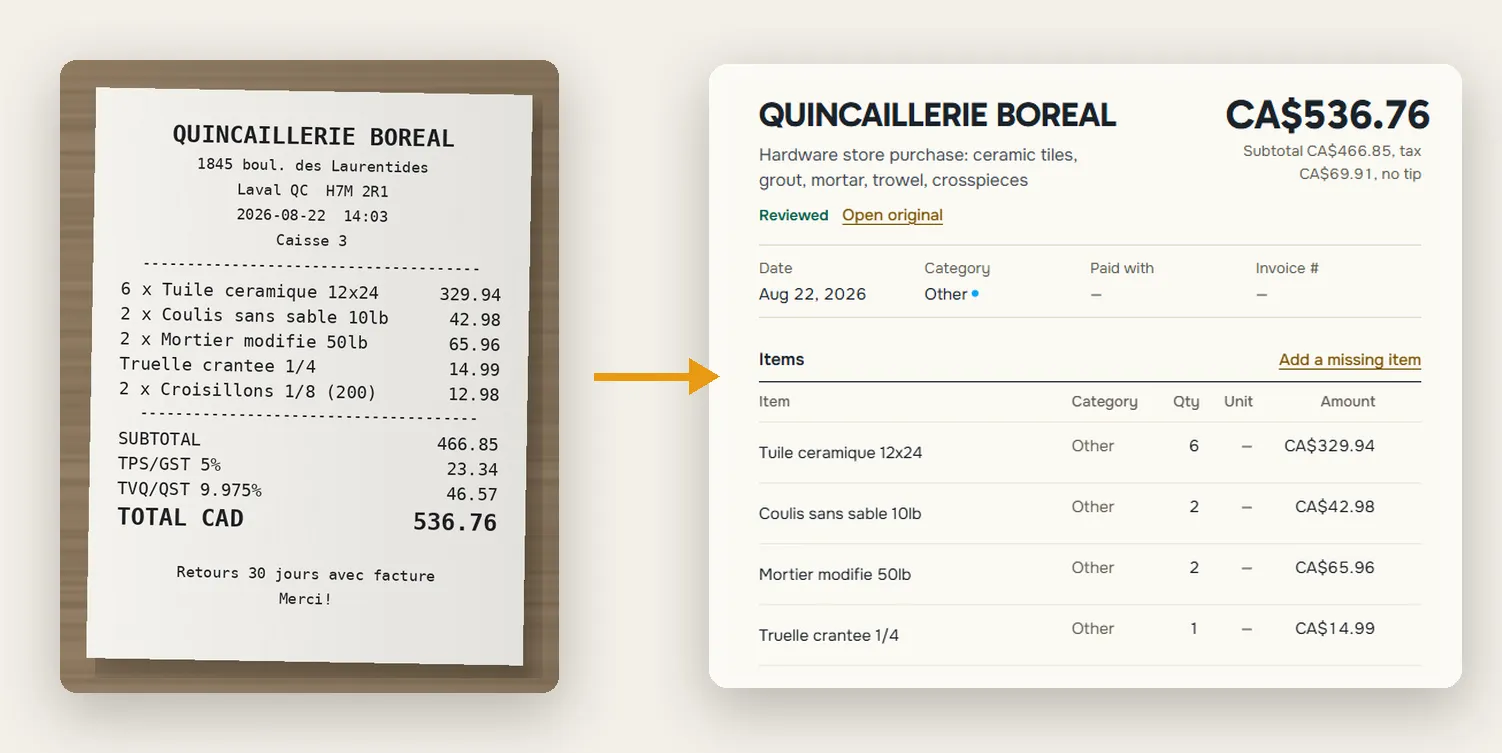
How it works
Snap it
Photograph a document with your phone, drop in a PDF, or forward an email.
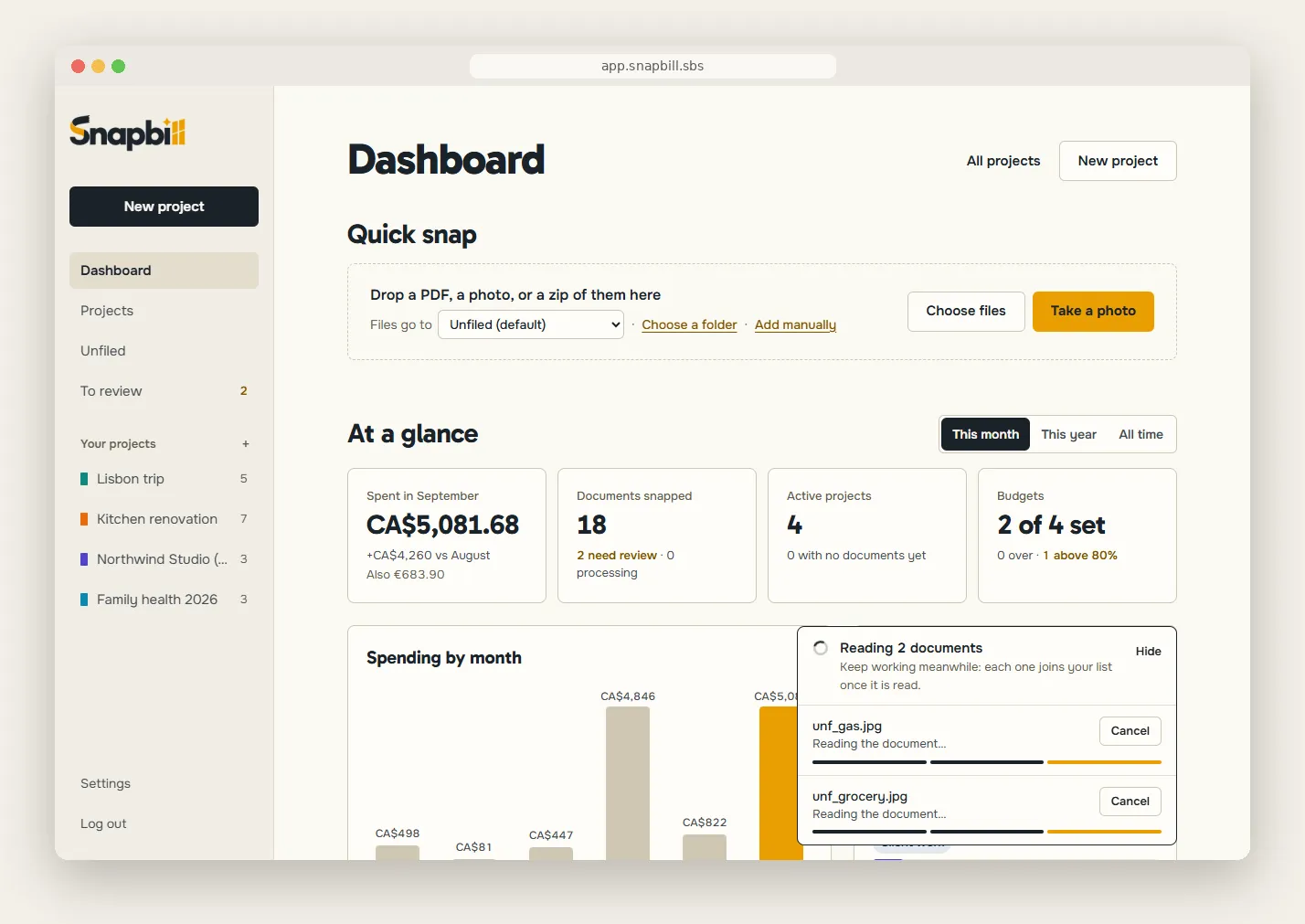
Drop photos, PDFs or a zip. Keep working while each one is read. Check it
Snapbill reads everything for you. Glance over it and fix anything in one click.
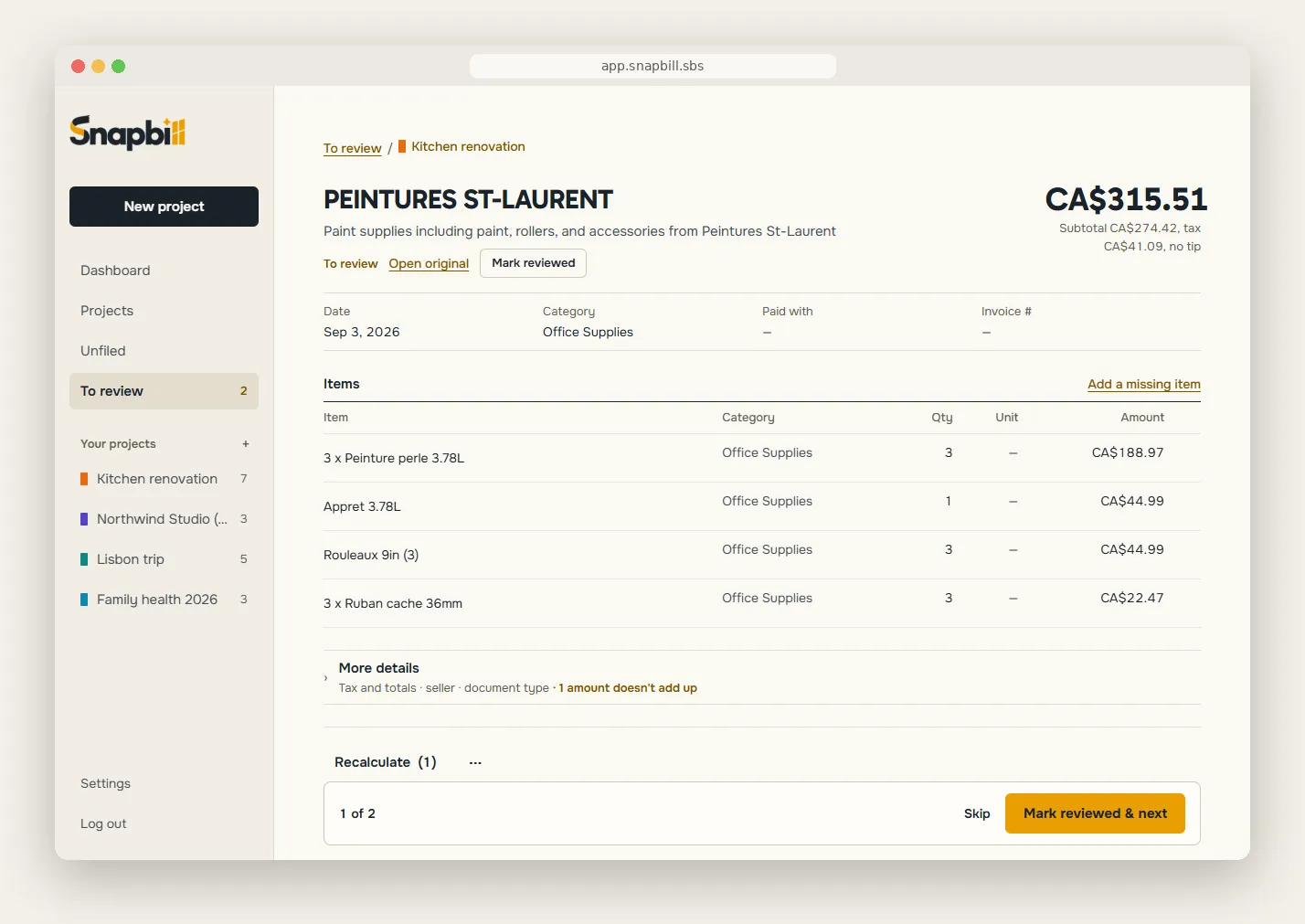
Review one document at a time: mark reviewed & next. Send it
Export a spreadsheet, a PDF or a complete expense claim with the receipts attached.
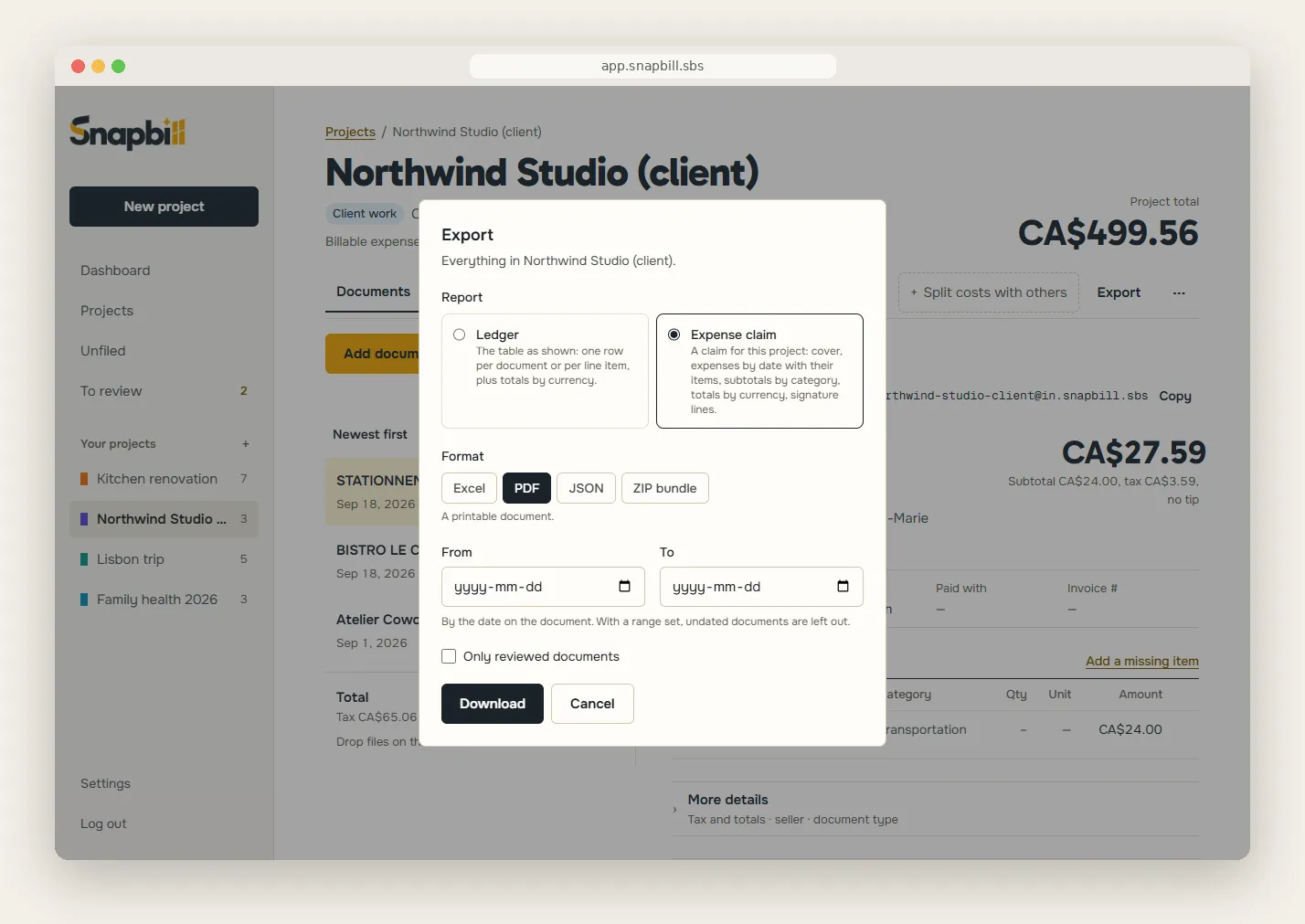
Export a ledger or a ready-to-sign expense claim: Excel, PDF, JSON or ZIP with receipts.
Example documents
See what comes out
Three example documents, read by Snapbill. Switch between them to see the details, the line items and what a flag looks like.
CAFÉ MARGUERITE
1420 rue Fleury E
Montréal QC

2026-09-12  08:41

Latte 12oz            4.75
Croissant amande      3.95
Soupe du jour         6.50

Sous-total           15.20
TPS 5%                0.76
TVQ 9.975%            1.52
TOTAL                17.48

VISA ****4127
Merci!
Café Marguerite
CAD17.48
Snapbill read this receipt from the photo. Check the details below against the original, then mark it reviewed.
- Merchant
- Café Marguerite
- Method
- Visa ····4127
- Date
- Sep 12, 2026
- Subtotal
- CAD15.20
- Tax
- CAD2.28
- Total
- CAD17.48
| Description | Qty | Amount |
|---|---|---|
| Latte 12 oz | 1 | CAD4.75 |
| Croissant amande | 1 | CAD3.95 |
| Soupe du jour | 1 | CAD6.50 |
HÔTEL DU PARC
8 avenue Gambetta, Lyon

Folio 118824
Arrivée 2026-06-03  Départ 2026-06-05

Chambre 03/06         129.00
Chambre 04/06         129.00
Taxe de séjour 2 nts    6.60
Petit-déjeuner x2      32.00

HT                    269.60
TVA                    27.00
TOTAL TTC             296.60

Réglé par carte
Hôtel du Parc
Medium confidence
EUR296.60
Snapbill read this folio from the photo. Check the details below against the original, then mark it reviewed.
- Merchant
- Hôtel du Parc
- Invoice no.
- 118824
- Method
- Card
- Date
- Jun 5, 2026
- Subtotal
- EUR269.60
- Tax
- EUR27.00
- Total
- EUR296.60
| Description | Qty | Amount |
|---|---|---|
| Chambre 03/06 | 1 | EUR129.00 |
| Chambre 04/06 | 1 | EUR129.00 |
| Taxe de séjour | 2 | EUR6.60 |
| Petit-déjeuner | 2 | EUR32.00 |
Line items add up to 296.60 but the subtotal reads 269.60 — the lines include tax. Recalculate or edit.
NORDIK ÉLECTRIQUE INC.
FACTURE  No 2026-0917
Date: 2026-09-02   Échéance: 2026-10-02

Client: Atelier Rive-Nord

Disjoncteur 20A  x4      18.40      73.60
Câble 12/2 (m)   x30      1.85      55.50
Main-d'oeuvre    x3 h    85.00     255.00

Sous-total                        384.10
TPS                                19.21
TVQ                                38.31
TOTAL                             441.62

Paiement: virement 30 jours
Nordik Électrique inc.
CAD441.62
Snapbill read this invoice from the PDF. Check the details below against the original, then mark it reviewed.
- Merchant
- Nordik Électrique inc.
- Invoice no.
- 2026-0917
- Method
- Bank transfer, net 30
- Date
- Sep 2, 2026
- Subtotal
- CAD384.10
- Tax
- CAD57.52
- Total
- CAD441.62
| Description | Qty | Amount |
|---|---|---|
| Disjoncteur 20A | 4 | CAD73.60 |
| Câble 12/2 (m) | 30 | CAD55.50 |
| Main-d'œuvre (h) | 3 | CAD255.00 |
Line items sum to 384.10; a fourth faint line on the paper was not read
Rendered from example data, not a live upload.
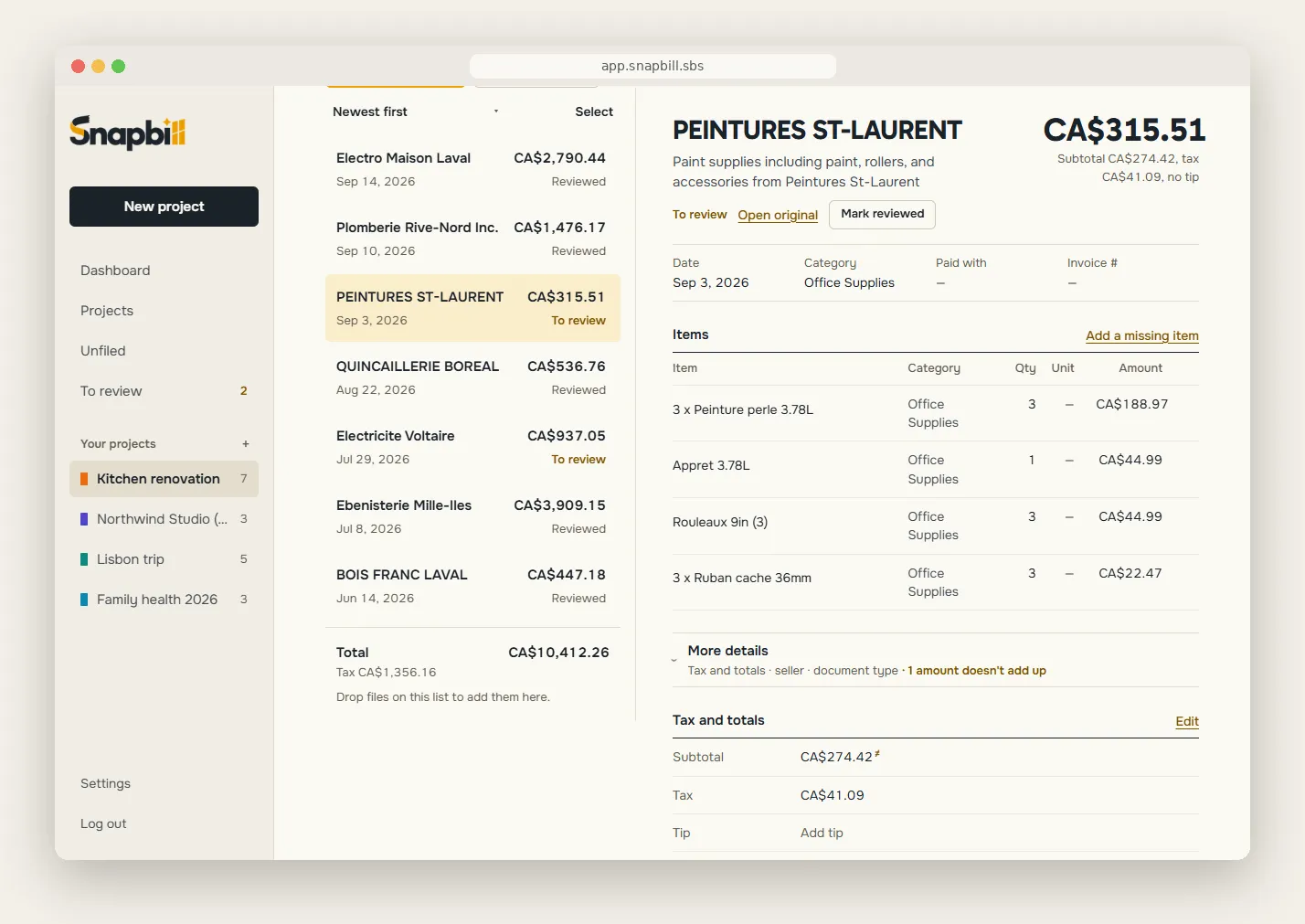
Quick to check, easy to fix
Snapbill reads your documents for you and makes checking quick. It flags the ones it is unsure about, so you know where to look, and the original photo or PDF always stays with its figures.
- Click any value to correct it; add a missed line or remove a wrong one
- Amounts that don’t add up are spotted, and the arithmetic is fixed in one click without overwriting what you typed
- Mark documents reviewed one at a time, or a whole selection at once
- Possible duplicates are flagged, so the same receipt is not counted twice
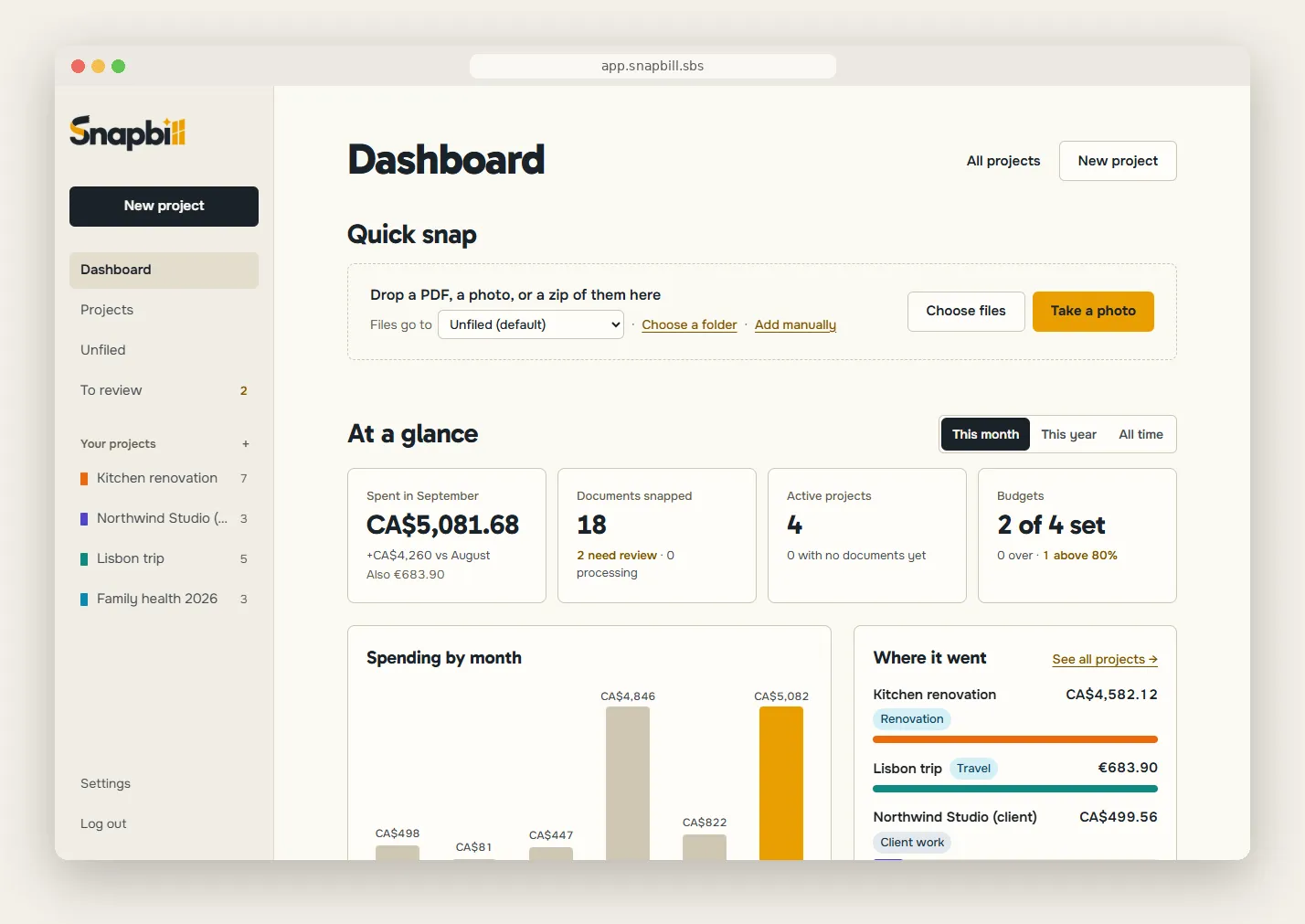
Your spending at a glance
The dashboard opens on Quick snap, then shows your figures: spending by month, your project budgets, the tax year so far, and what needs your attention first.
Built for your pile
For anyone who has to turn a pile of documents into numbers someone else will check.
-
Employees who travel
A finished claim, receipts attached, ready for the approver.
-
Freelancers and consultants
Every expense captured the day it happens, sorted by client or job.
-
Couples, households, groups
One project for shared costs: who owes whom, settled in the fewest transfers.
-
Small businesses and their accountants
Figures read automatically, exported to Excel for the accountant.
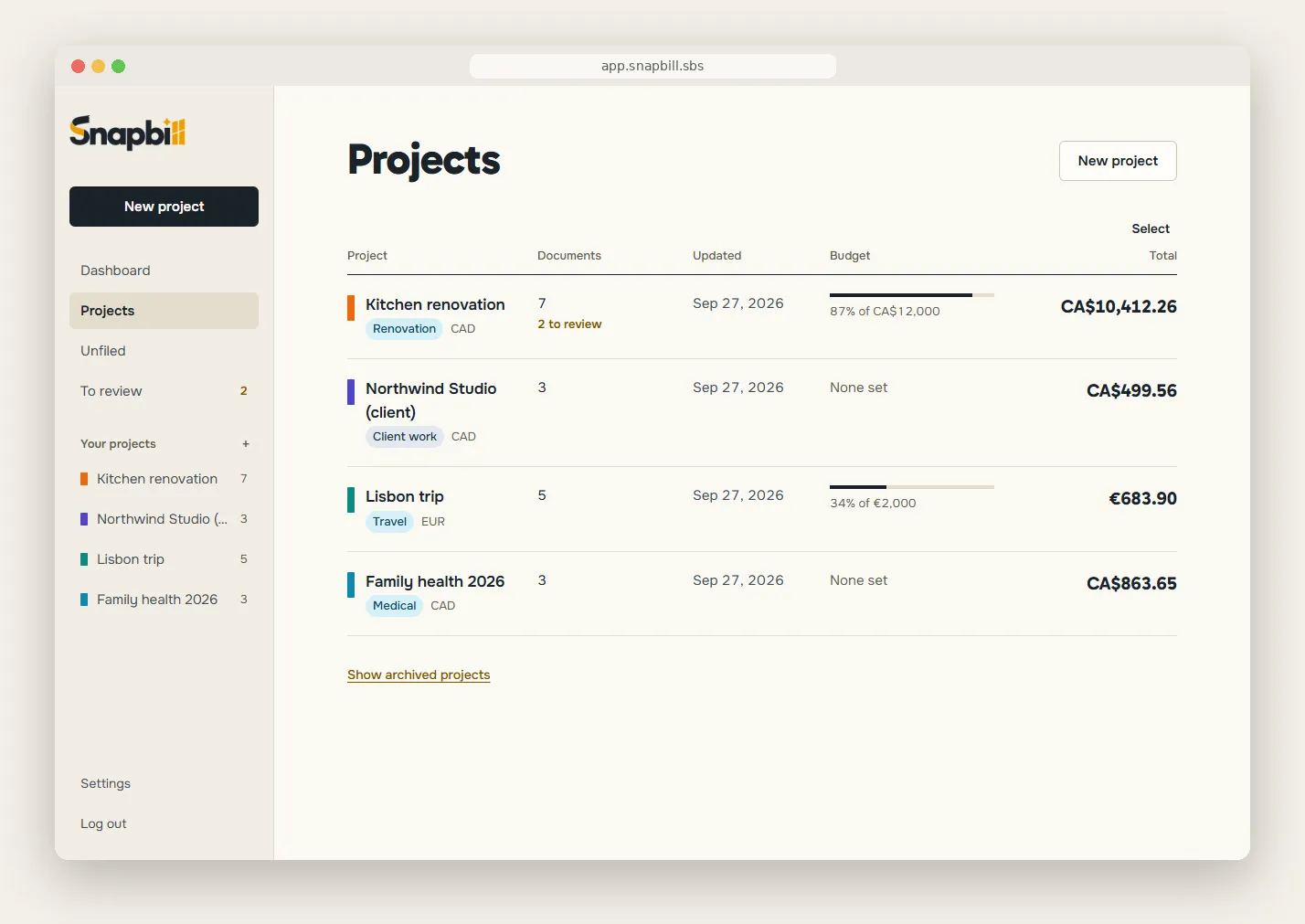
Every project in its own currency
See a project’s total in its own currency, converted at the official daily rate for each document’s date. Prefer the rate on your card statement? Use your own whenever you like.
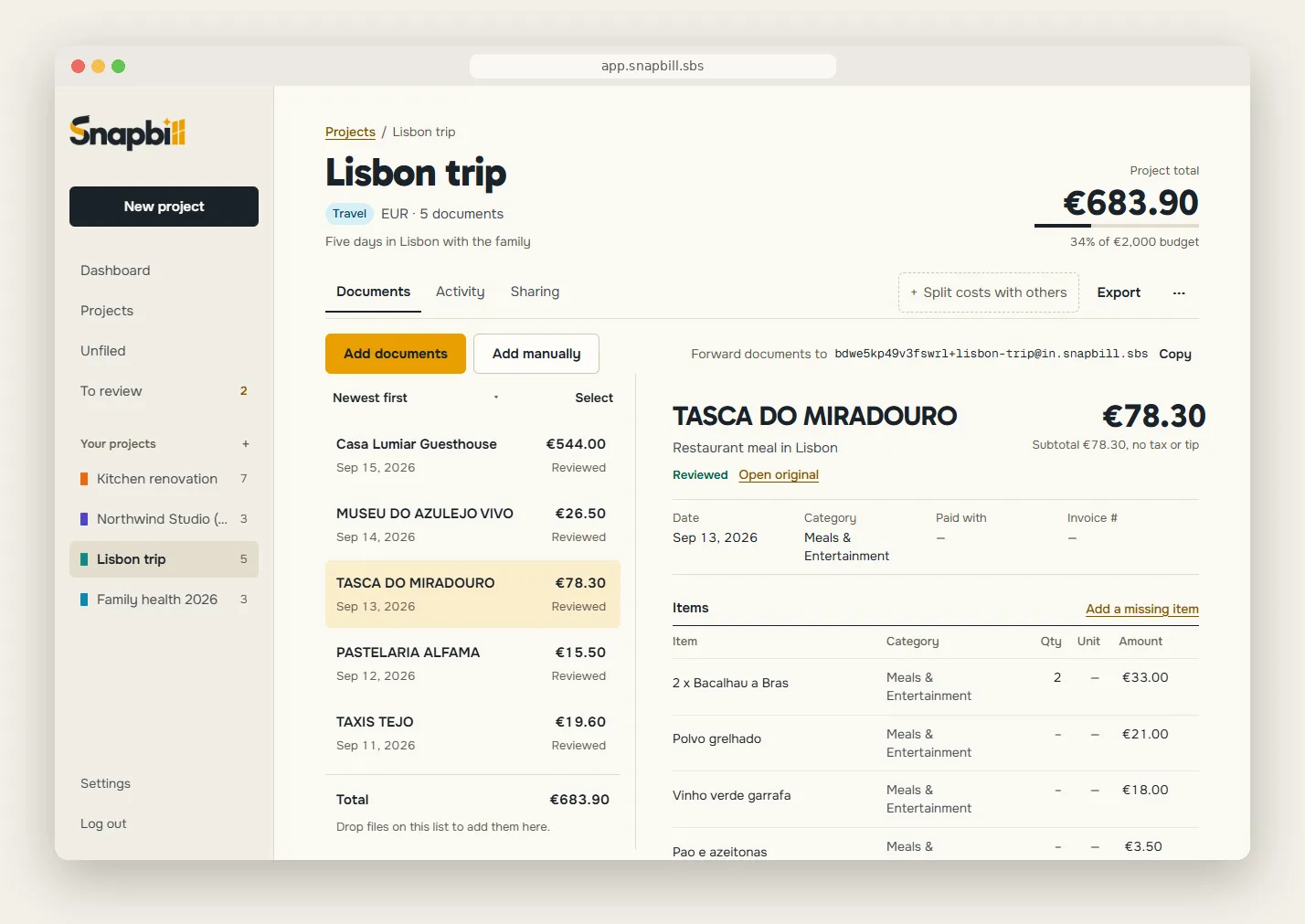
Work from the same numbers
Share a project with a partner, a colleague or your accountant, and everyone adds to the same total. Joining a shared project is free.
- Invite by email or share a link
- An invitation works only for the address it was sent to. A share link can be replaced or switched off at any time.
- Choose what people can do
- An editor adds and corrects documents. A viewer reads and exports but changes nothing.
- See what happened
- A project’s activity shows who joined or left and which documents came and went.
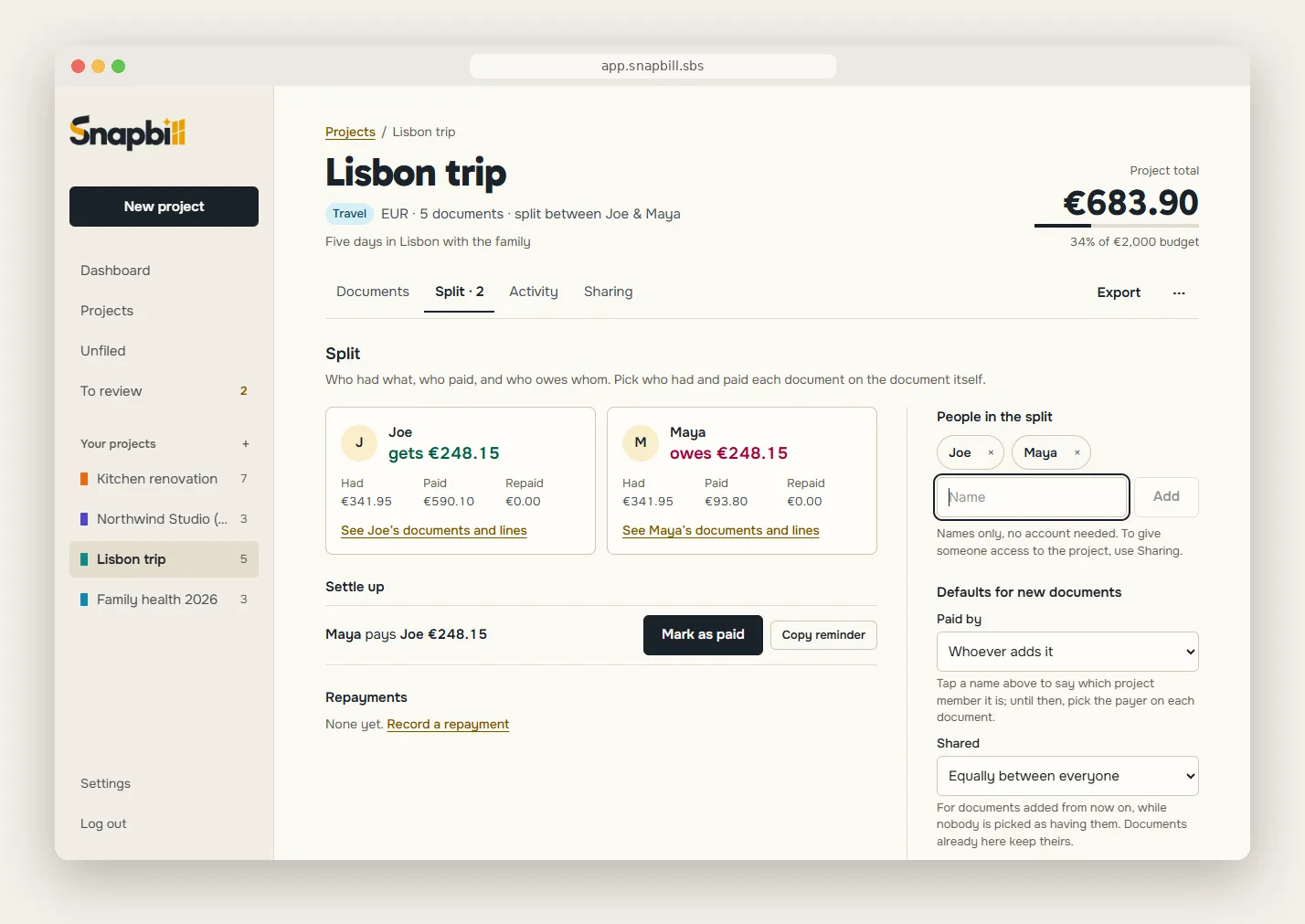
Split it, settle it
Add the people by name, pick who had what and who paid, and Snapbill works out who owes whom in the fewest transfers. Nobody needs an account, and it’s free.
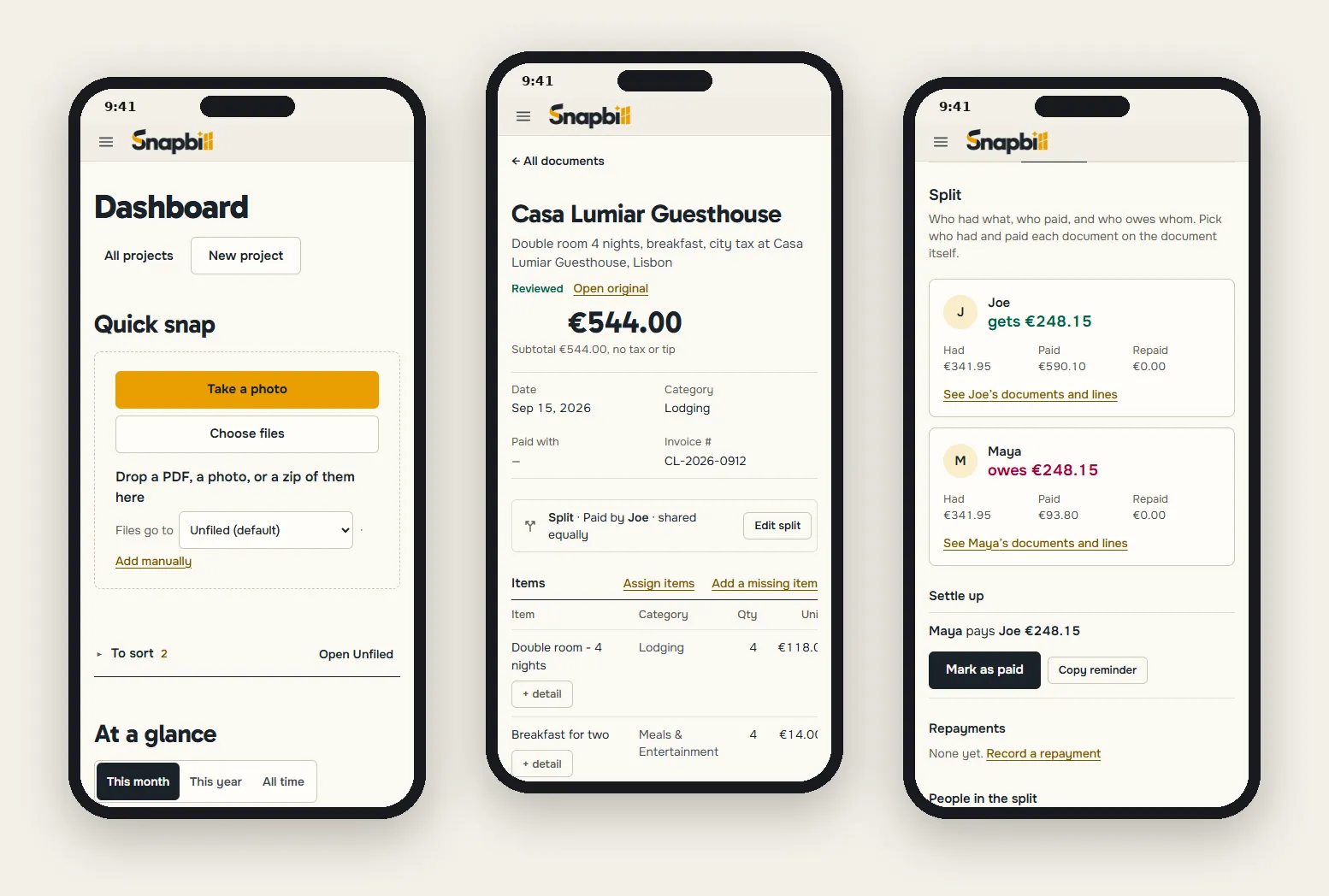
Right there on your phone
Snapbill runs in the browser on any phone, with nothing to install. Add it to your home screen and a receipt goes in before it reaches your pocket.
Export and send
Spreadsheets ready for your accountant or your accounting software, a clean PDF report, or a complete expense claim with every original receipt in a ZIP.
- Excel
- CSV
- Expense claim
- ZIP with receipts
Bilingual, for real
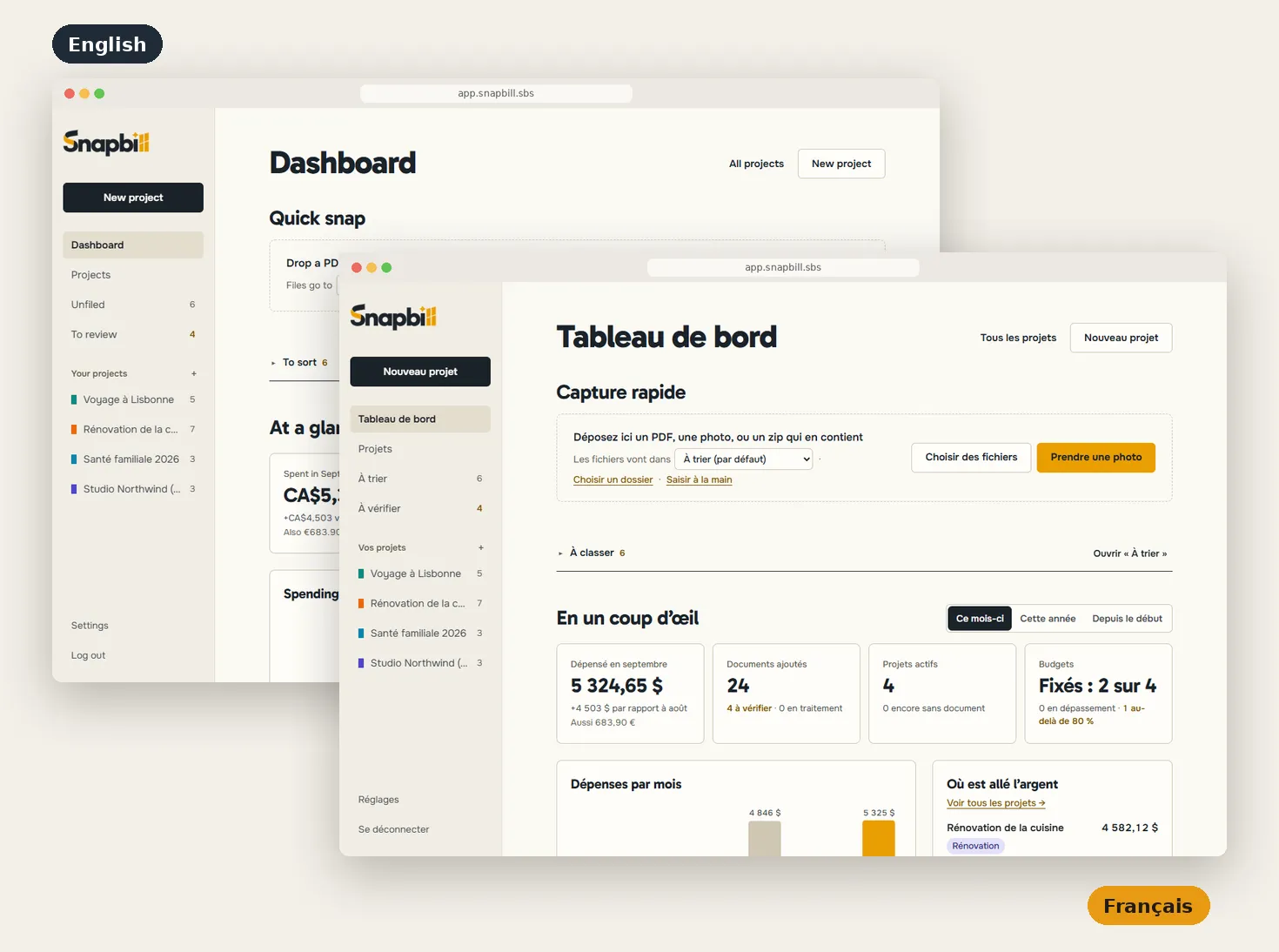
English or French, your choice.
Snapbill speaks both languages across the whole app: menus, dates, amounts and currencies. Switch in Settings, anytime.
- Every screen in English or French: one setting, instant switch.
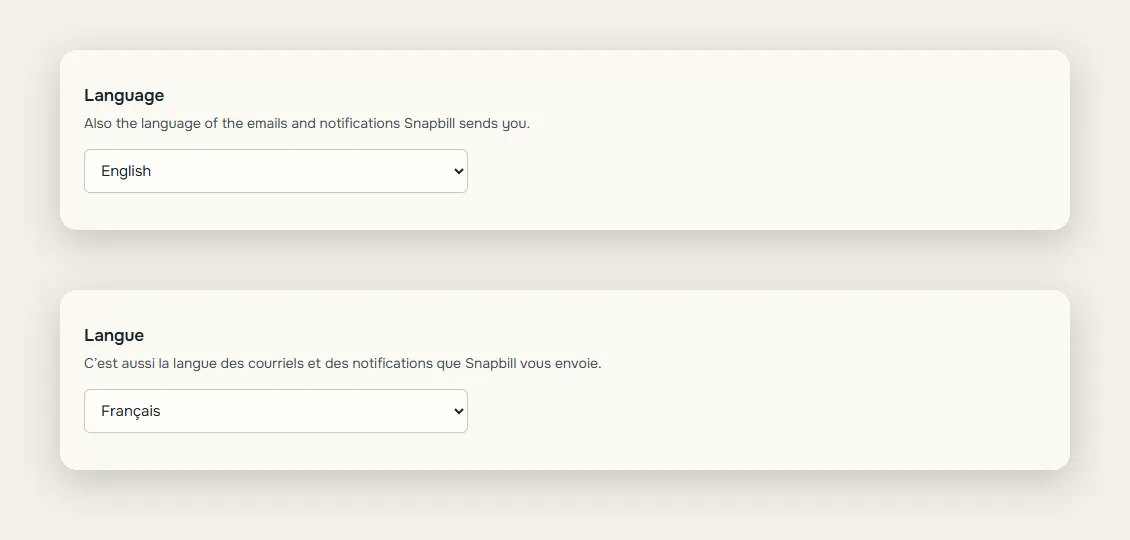
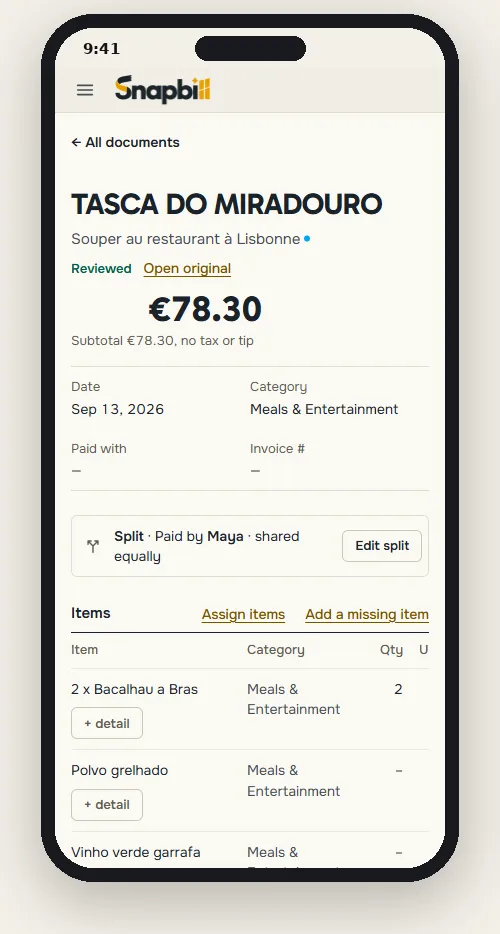
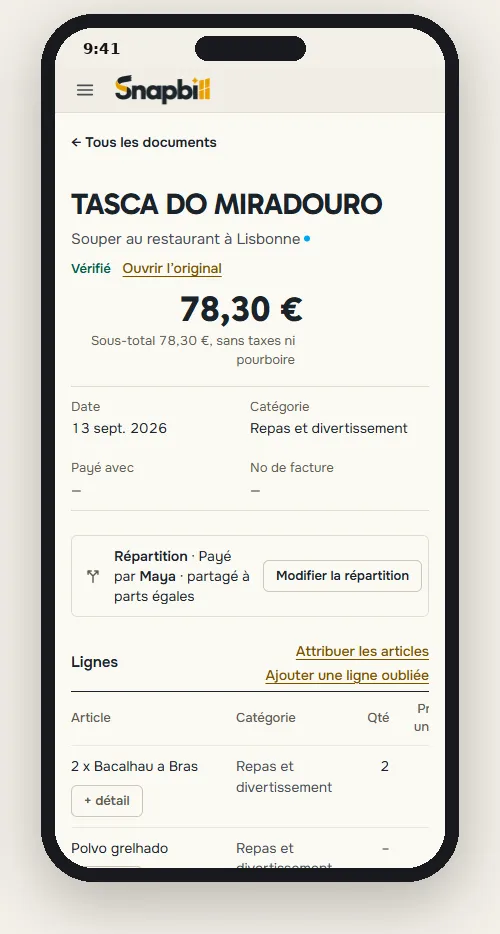
- Dates, numbers and currencies in your format: 13 sept. 2026 · 78,30 € · 5 324,65 $.
- Emails and notifications arrive in the language you picked.
Free is a real plan
Free
USD0
10 documents read a month
Unlimited projects and hand-entered expenses, splitting costs among friends, bulk upload, and every export.
Pro
USD3 / month
200 documents read a month
Everything in Free, plus sharing, forwarding by email, your logo on claims, custom fields and repeat expenses.
Questions
How accurate is it?
Do I need to install an app?
Is my data private?
What happens after 10 documents?
Can I share with my accountant?
Stop typing receipts. Start snapping them.
Free for 10 documents a month. No card needed to start.