
Features
Everything it does, in one list.
All of this is included on the free plan unless marked Pro. Reading, editing and exporting your own documents is never locked behind a plan.
Capture anything, any way
Snap with your phone
Point the camera at a receipt and you are done. Works in the browser on any phone, tablet or computer; nothing to install.
Drop in files
Photos and PDFs, one at a time or dozens at once.
Bulk upload
Drop a whole folder or a zip file and Snapbill reads every receipt inside. Free for everyone.
Keeps going in the background
Upload and move on. Progress survives closing the page, and a failed upload retries without sending the file again.
Enter it by hand
Paid cash with no receipt? Type in a single total, or enter it line by line and Snapbill works out the taxes. Pick its type: receipt, invoice, bill or other. Never counts toward your monthly allowance.
Forward by email (Pro)
Get a private Snapbill address. Forward an invoice or receipt, or set up an automatic rule: attachments, pasted photos, even receipts written in the email itself.
File by address (Pro)
Add a project name to the address, like yourname+lisbon-2026, and the document lands in that project. A new name creates the project for you.
Get notified (Pro)
A notification on your phone or computer the moment a forwarded document has been read.
Your dashboard
Quick snap
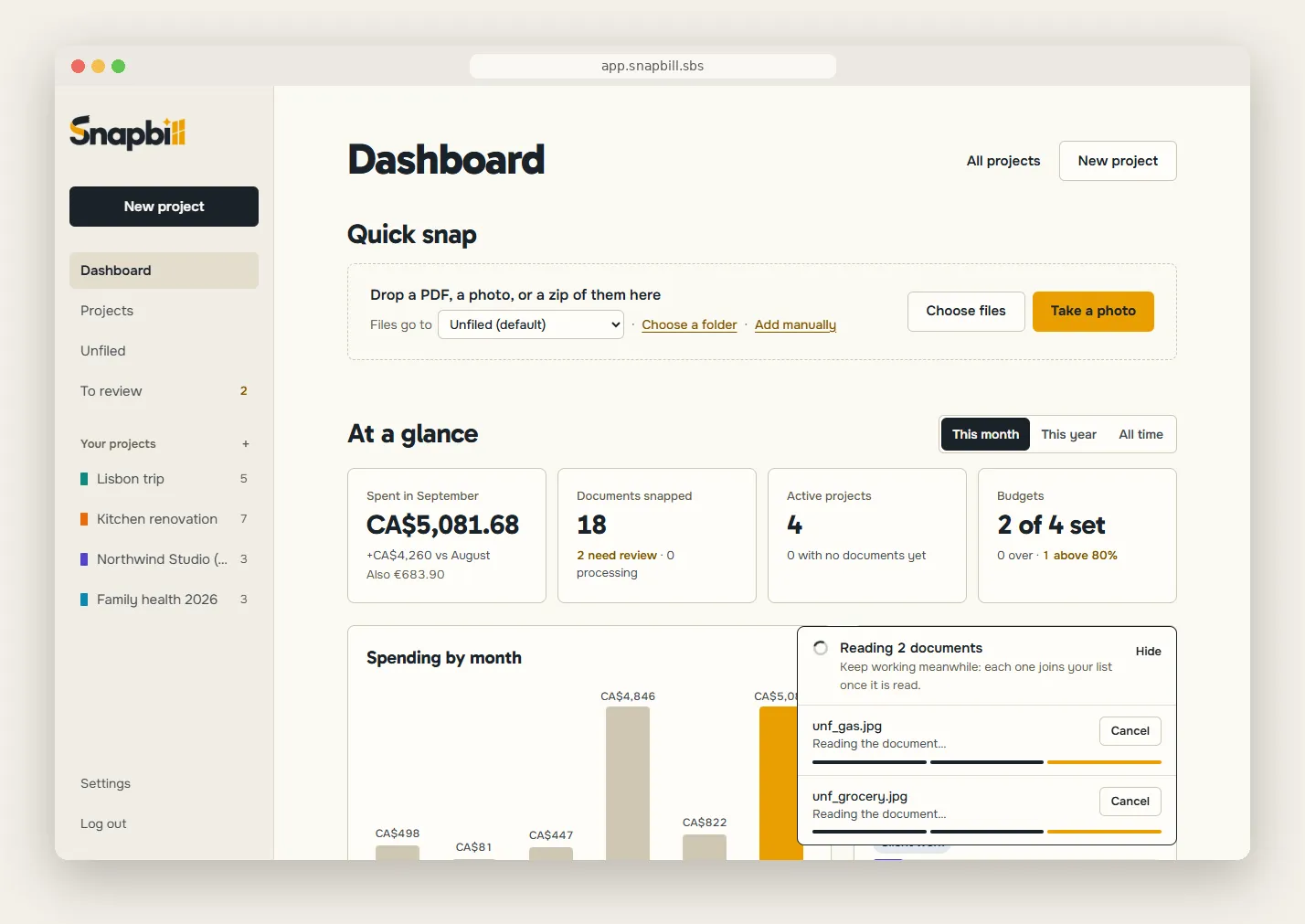
The home screen opens on Quick snap, so you can add a document the moment you have it.
Your figures
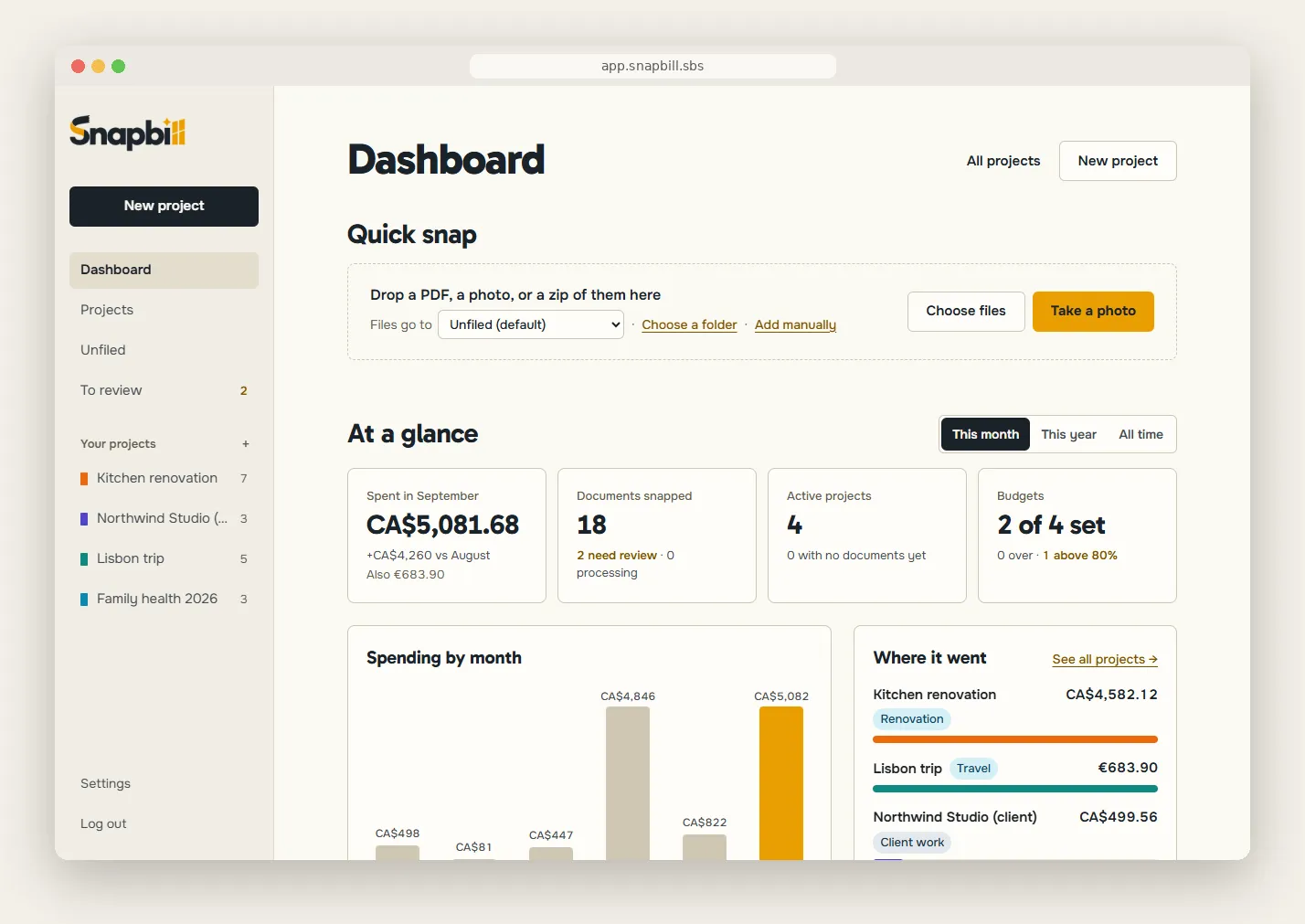
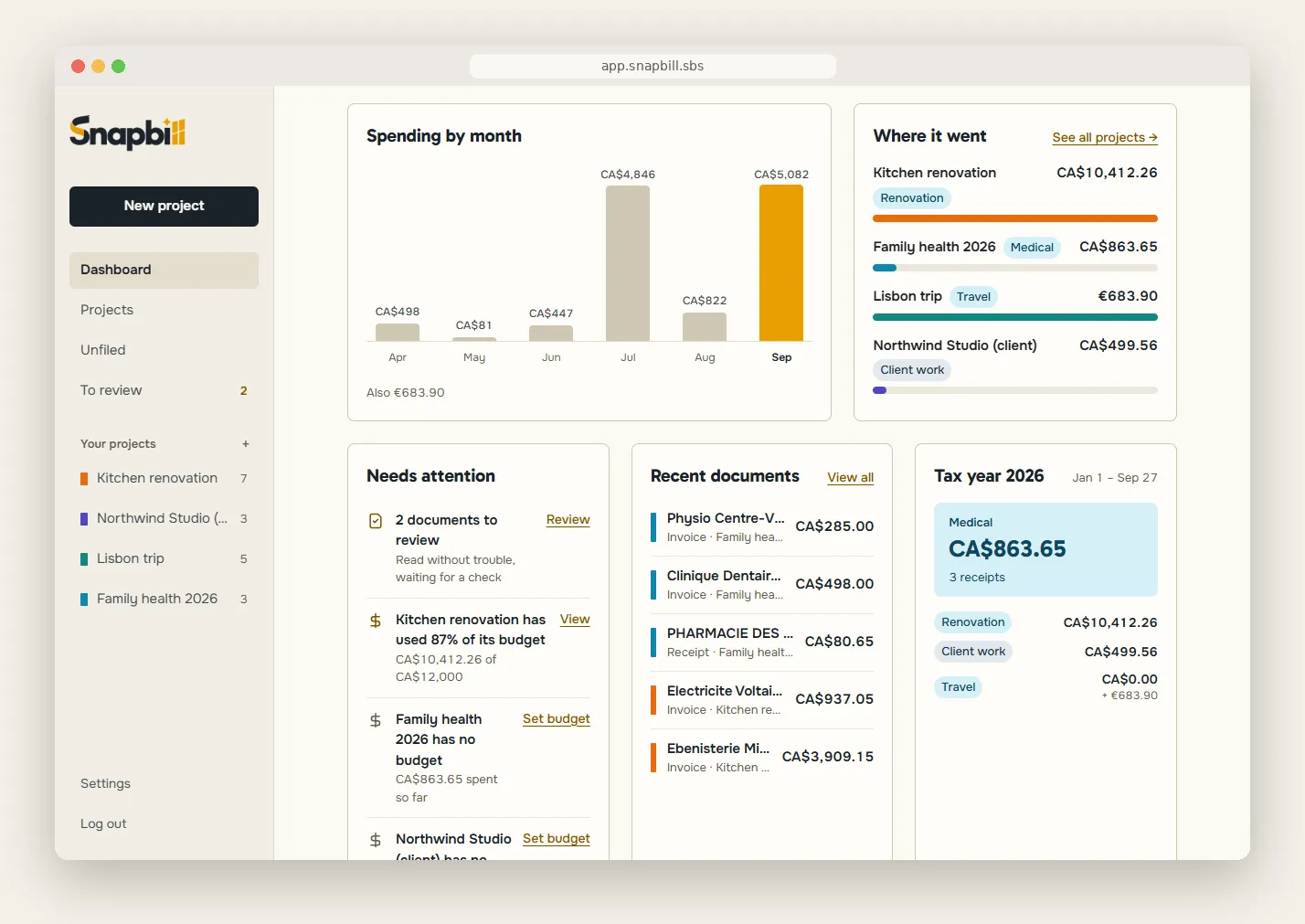
Spending by month, how many documents you have, your project budgets and the tax year so far, across everything you can see.
What needs your attention
Failed uploads, documents to check and budgets running over, the most pressing first.
One currency at a time
Totals are never added up across currencies. Amounts in other currencies are shown beside them.
Where new documents go
Choose a default destination in Settings: a project, or “To sort”. Change it for one upload with “Files go to”.
Read for you
Everything on the page
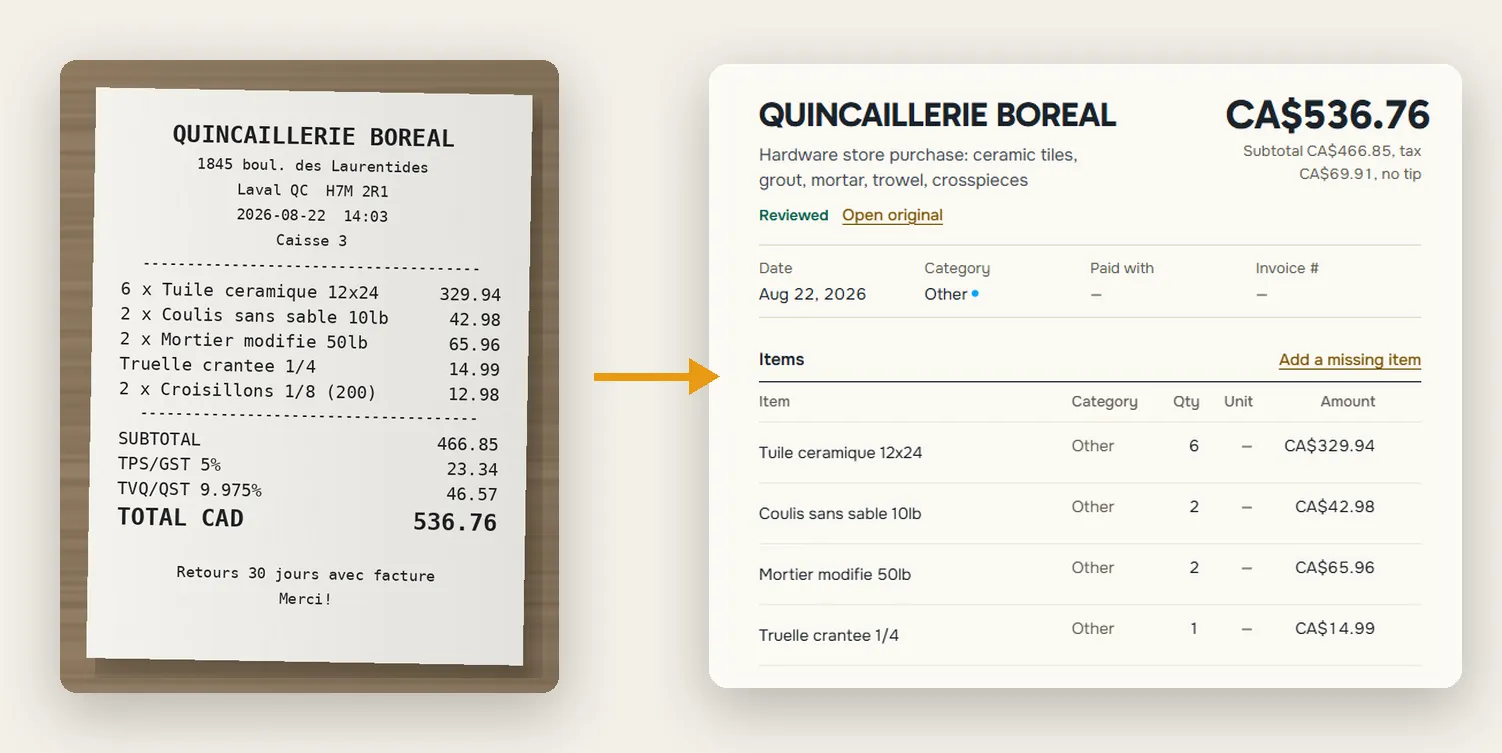
Merchant, date, currency, subtotal, tax, tip, total, payment method, invoice number, a category and a one-line description.
Every line item
Not just the total: each item, quantity and price, ready for an itemised report.
Tax and extra details
Tax lines and rates, tax numbers, due dates, billing periods, room numbers, product codes and dozens more, whenever they are on the document.
Any language, any currency
Documents in many languages and every world currency.
Honest about doubt
Snapbill flags documents it is unsure about and notes anything odd, so you know what to check.
Check and correct in seconds
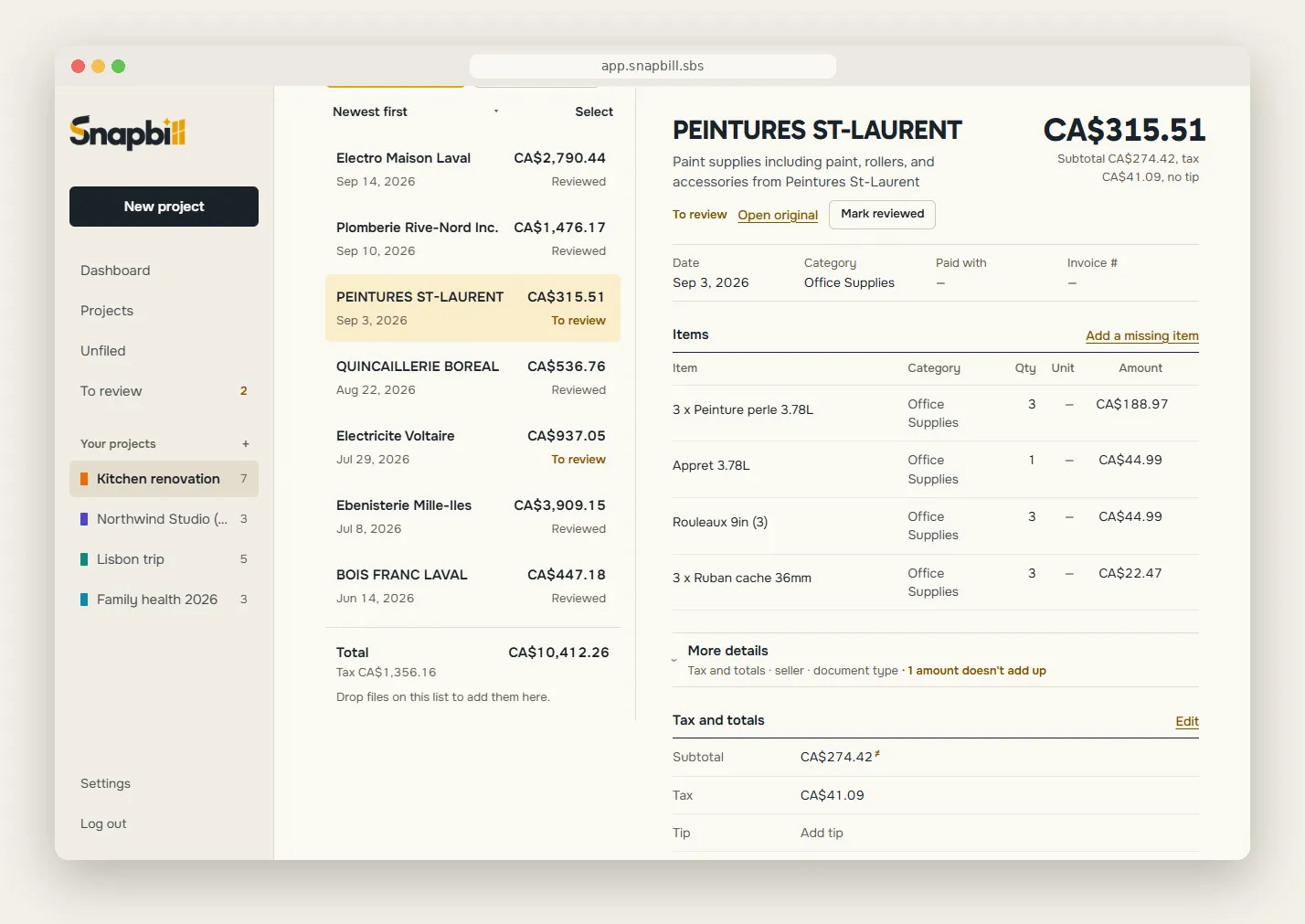
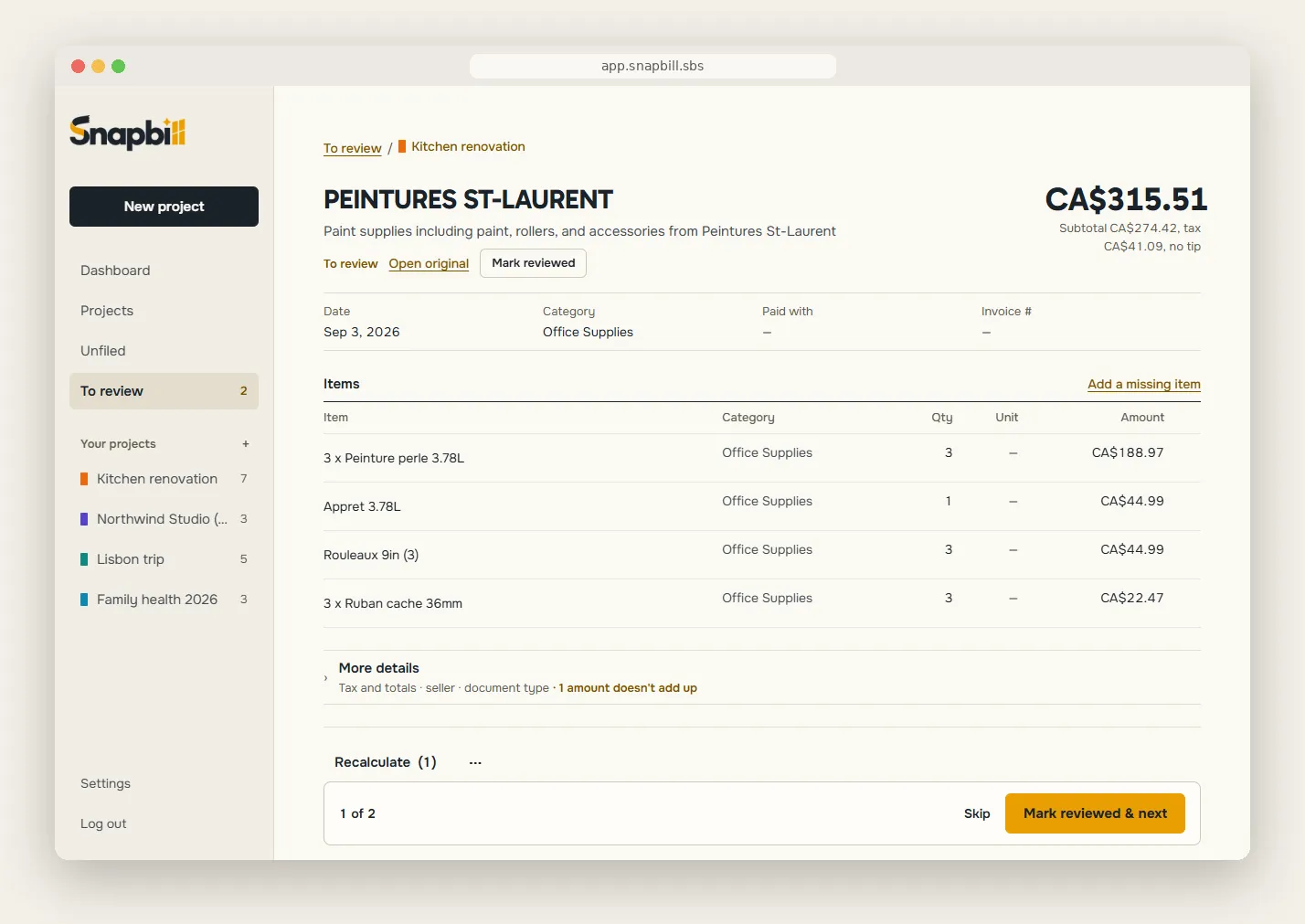
Click to fix
Correct any value in place; add a missed line or remove a wrong one.
Sums that add up
Snapbill spots amounts that don’t add up and fixes the arithmetic in one click, without overwriting what you typed yourself.
Mark it reviewed
Mark a document reviewed once you have checked it, or select several and mark them all at once, with an undo.
One review queue
Every document still to review, from every project, in one queue from the sidebar.
Possible duplicates
Snapbill flags documents that look the same: same date, total, currency and line items. Keep one, keep them all, or mark them as different. Choose where it looks: within the same project, everywhere, or not at all.
Read it again
Think a document was misread? Have Snapbill read the stored original again, without uploading it. Your corrections are kept unless you choose to start over. Never counts toward your allowance.
The original, always
The photo or PDF stays with its figures, so you can look back at it any time.
Organise by project
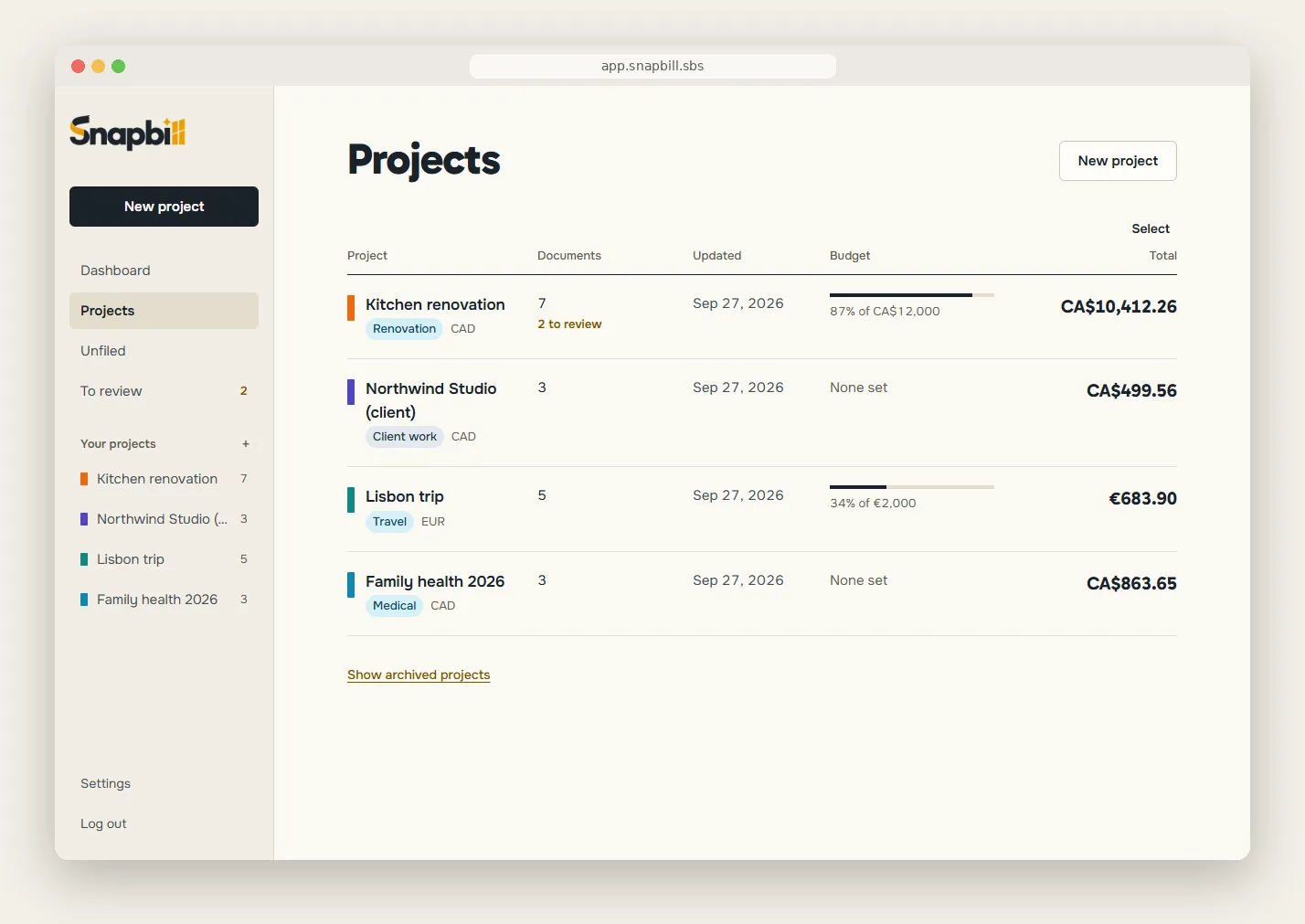
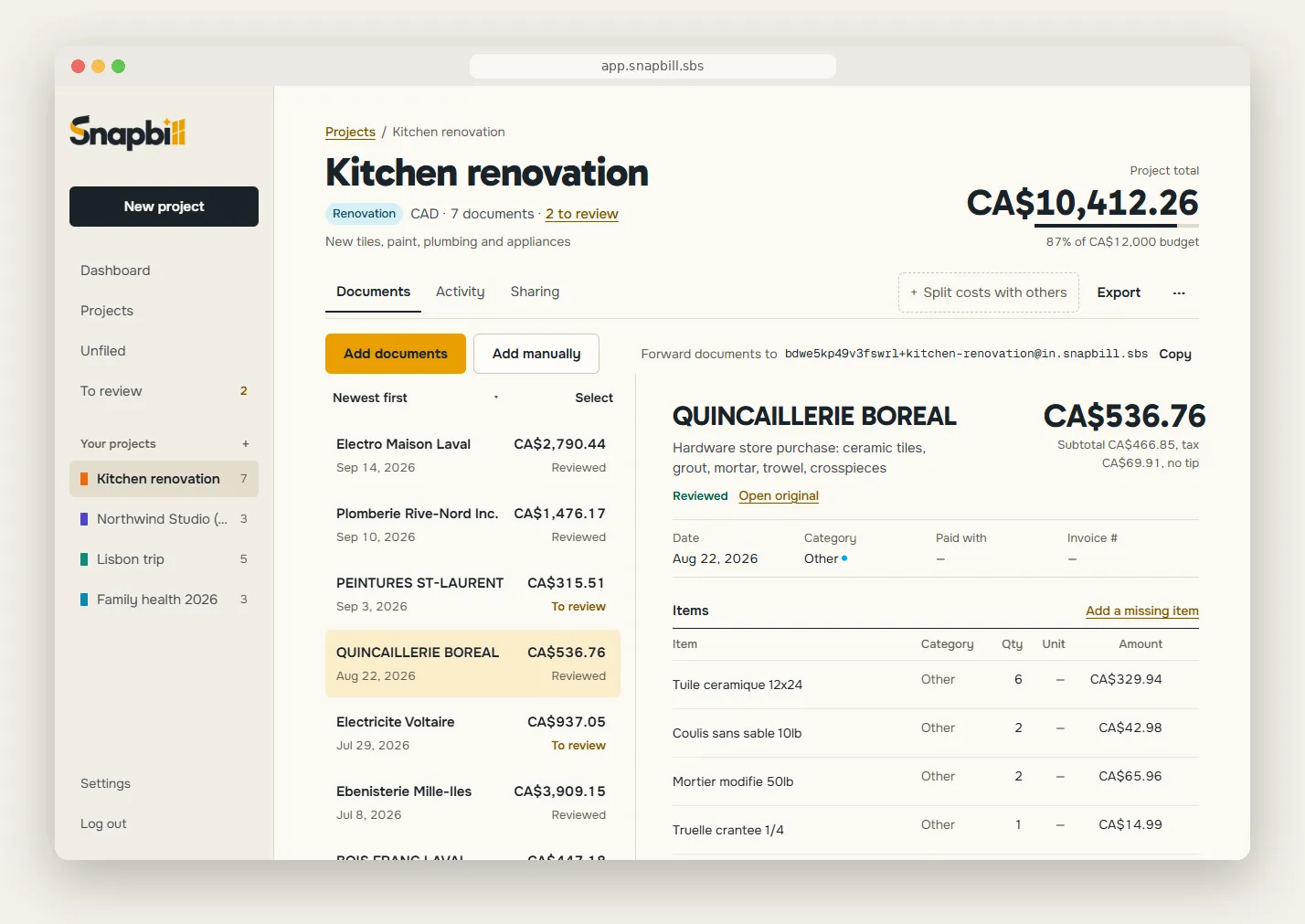
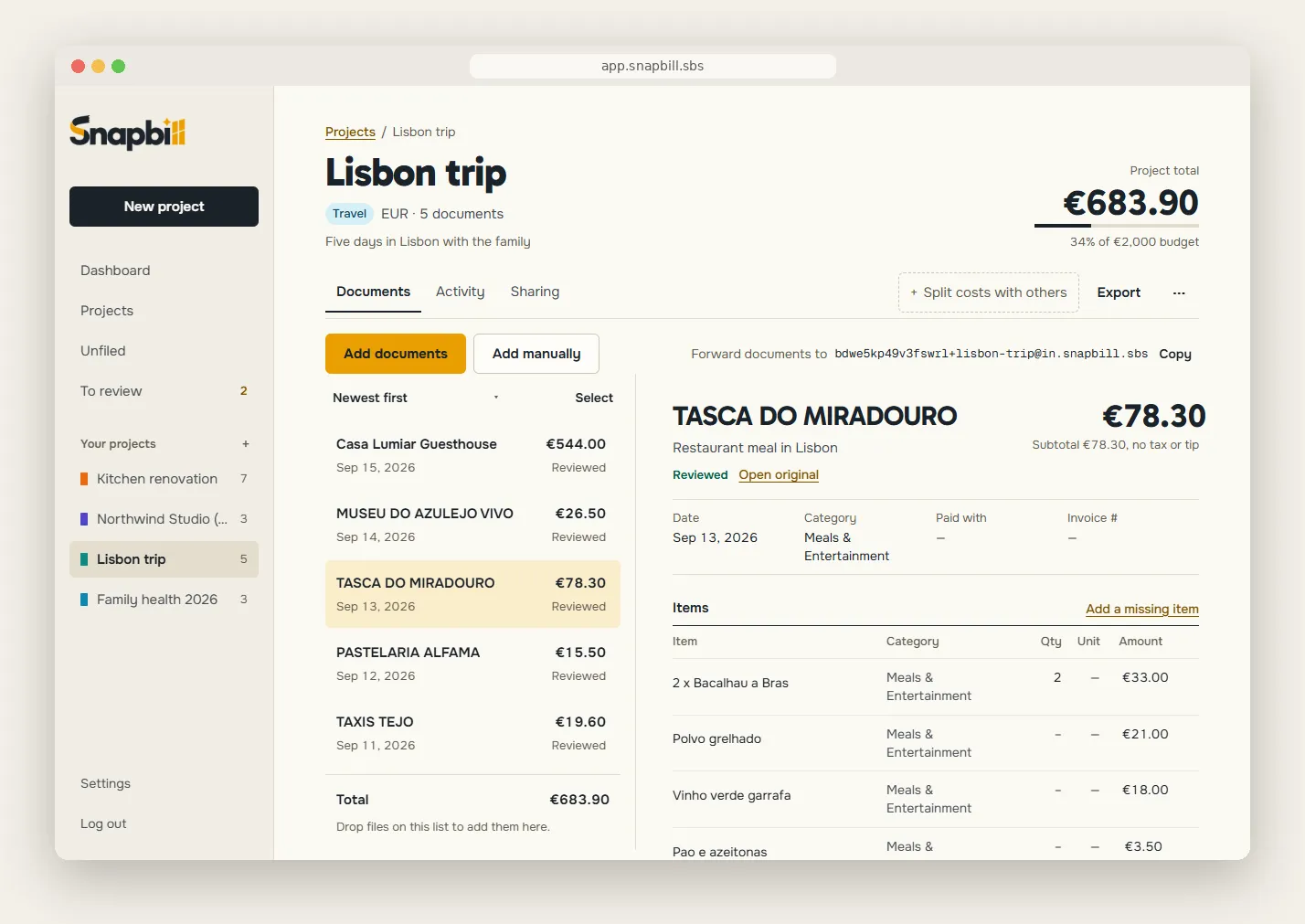
Projects for everything
A trip, a client, a renovation, a tax year. Give each a category, a budget and a currency.
Coloured categories
Categories for projects, for documents and for single line items, each with its own colour. Rename or merge them from Settings. In a shared project, the owner’s categories apply.
Move in bulk
Select many documents and file them, or delete them, in one go. Anything not yet filed waits in “To sort”.
Totals in one currency
Euros, pounds and dollars, totalled in the project’s currency at the official daily rate for each document’s date. Or use your own rate.
Set aside
Keep a document in a project but out of its totals and exports, like a personal expense on a work trip.
Sort and view
Sort by type, date, name or amount. See one row per document, or one row per line item.
Repeat an expense (Pro)
Duplicate a recurring expense, dated today, in one click.
Split costs
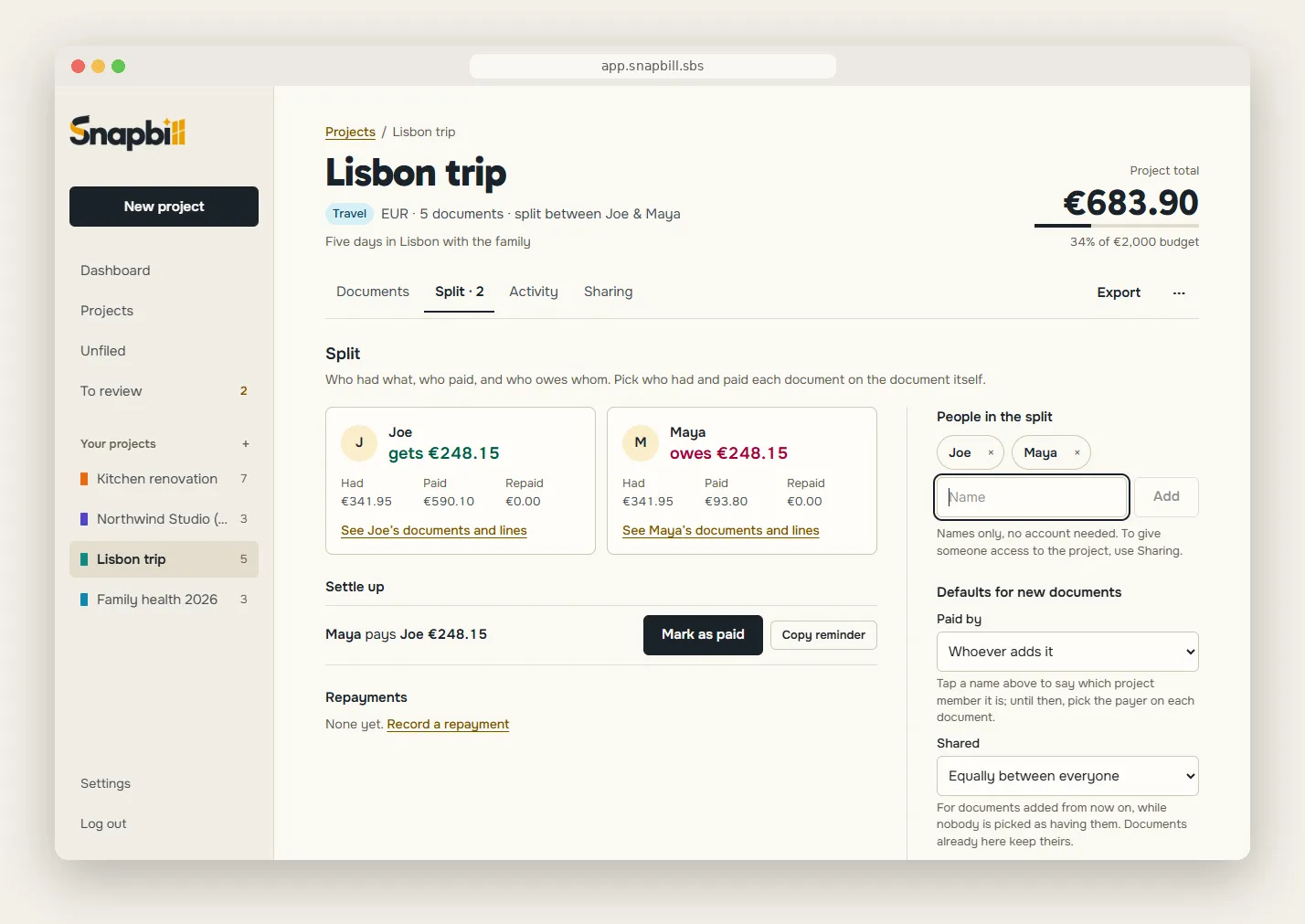
Split costs with others
Turn on splitting for a project: a trip, a dinner, a shared flat. Turn it off and it is hidden, not lost.
Names, not accounts
Add the people by name. Nobody needs to sign up.
Who had it, who paid
For each document, pick who had it and who paid. Or go line by line and give each line to whoever had it.
Who owes whom
Snapbill works out what everyone owes, and the fewest transfers that settle it.
Record repayments
Mark a transfer as paid, like “Bob paid Alice 23.00”, and the balances follow.
Any currency
Documents in other currencies are counted in the project’s currency.
One document on its own
A dinner that belongs to no project? Split a single unfiled document by itself.
Share the result
Copy it as text, or make a read-only link your friends can open without an account. Export a Split summary as CSV, Excel or PDF.
Export and send
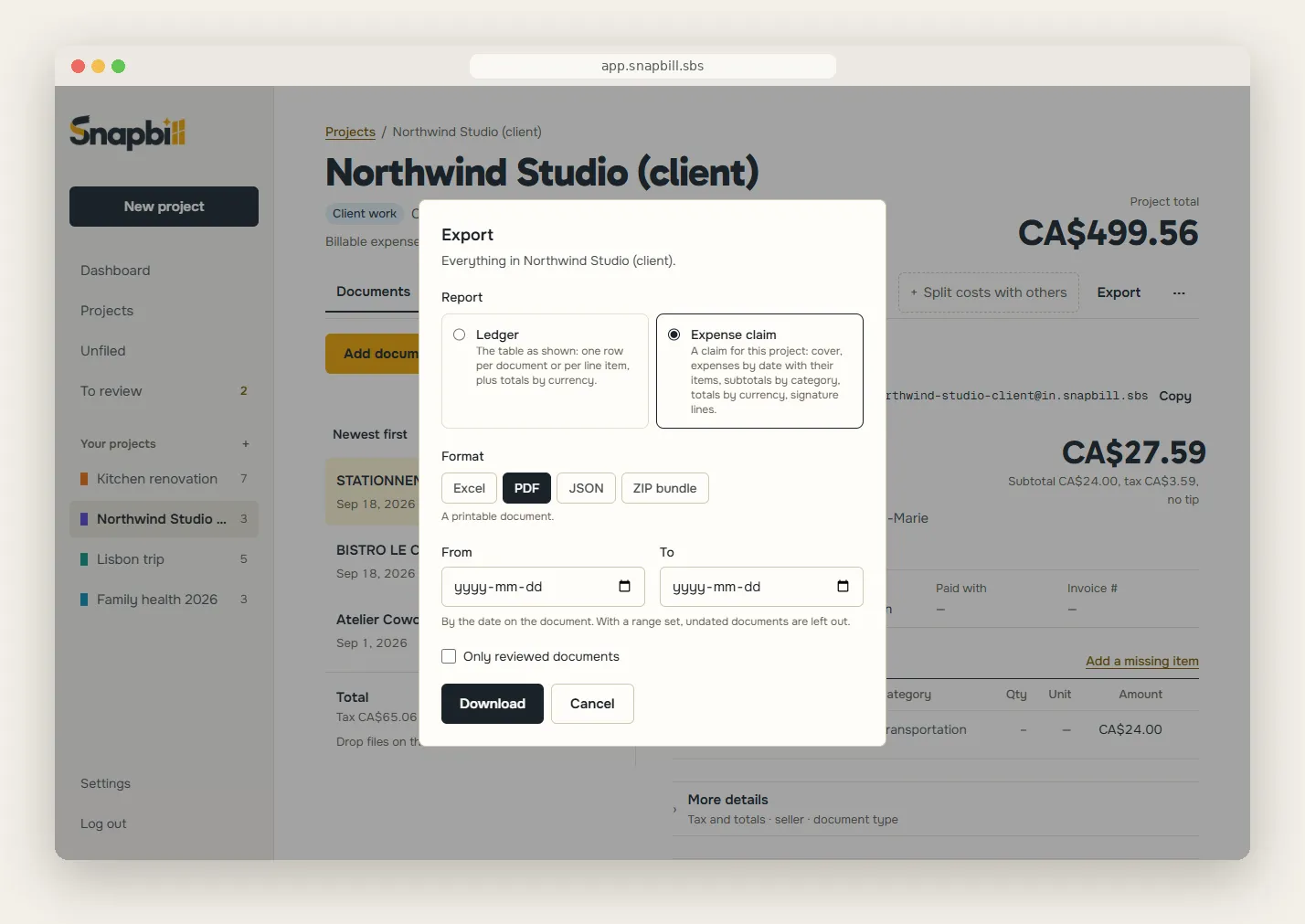
Spreadsheets
Excel and CSV, ready for your accountant or your accounting software.
PDF reports
A clean, printable summary of any project or selection. Arabic and Hebrew print right to left.
Expense claims
Claimant, organisation, reference, approver, purpose and period on the cover, every expense by date with subtotals by category, and signature lines.
Receipts attached
Download the claim as a ZIP with every original receipt included.
Every detail travels
Tax lines, custom fields and your document and item categories appear in every export, the categories in a “Custom category” column.
Split summary
Balances, who owes whom, repayments and each person’s documents, as CSV, Excel or PDF.
Your logo on claims (Pro)
Your company logo printed at the top of your claim PDFs.
Custom fields (Pro)
Add your own fields, like “Cost centre” or “Client code”, to every document.
Working together
Invite by email (Pro)
Invite anyone, even someone new to Snapbill. An invitation works only for the address it was sent to.
Or share a link (Pro)
Turn on a link for a group, a family or a team. Replace it or switch it off at any time.
Editors and viewers
An editor adds and corrects documents; a viewer reads and exports but changes nothing. Change roles or remove people whenever you like.
See what happened
A project’s activity shows who joined or left and which documents came and went.
Safe by design
Only the owner can delete a document someone else added. Hand a project over to another member when you step away.
Joining is free
Anyone can join and work in a shared project on the free plan.
Yours, on every device
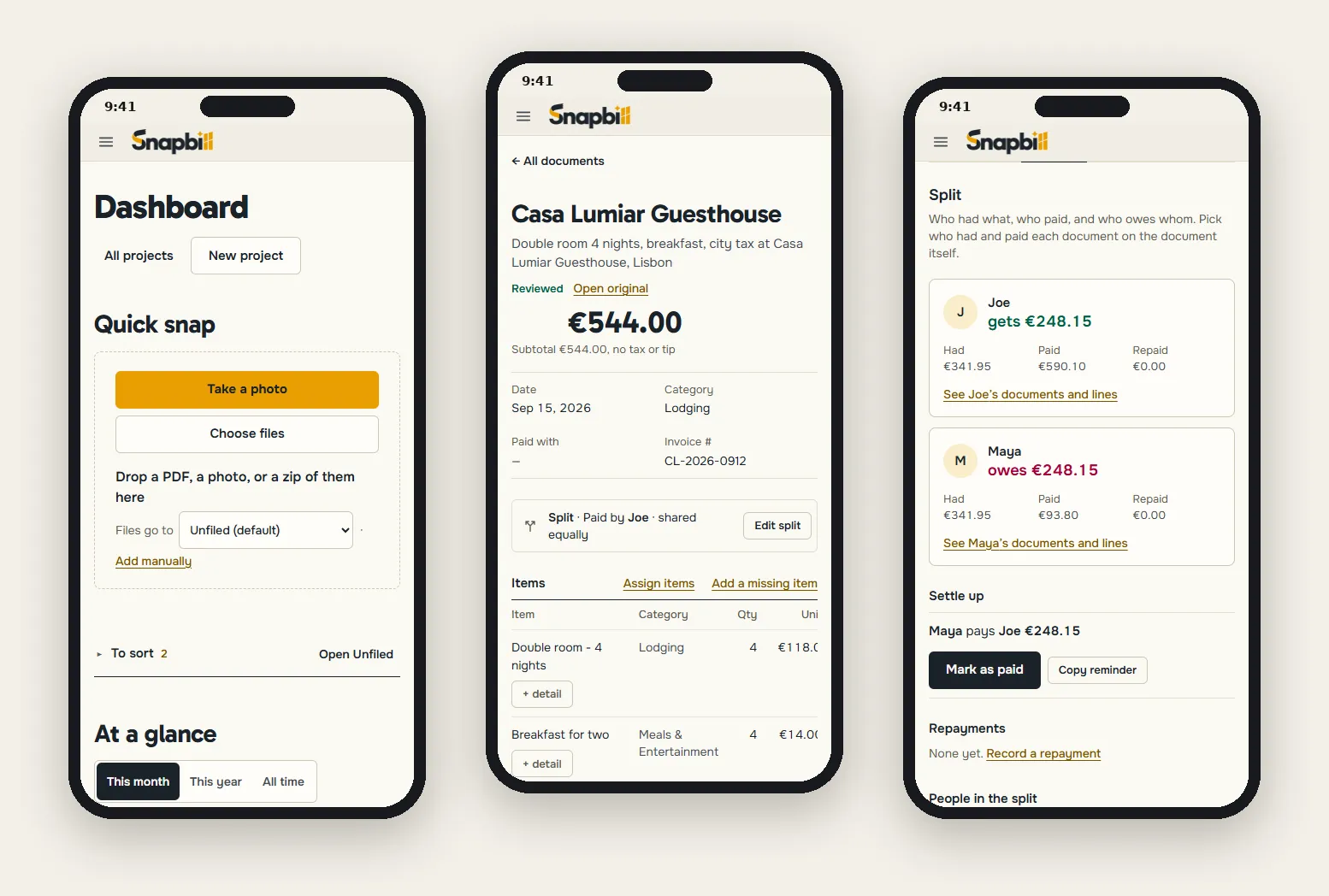
Everywhere you sign in
Your documents follow you to your phone, tablet and computer.
Your data, always
Reading, editing and exporting your own documents is never locked behind a plan.
Account controls
Sign out of every device at once, reset a forgotten password, or delete your account and everything in it.
Bilingual, for real
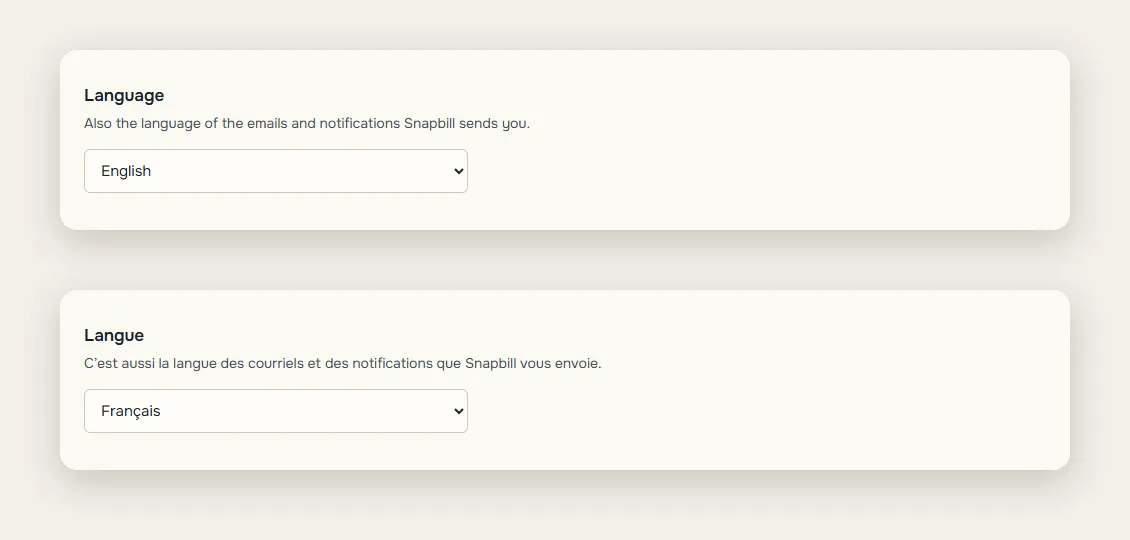
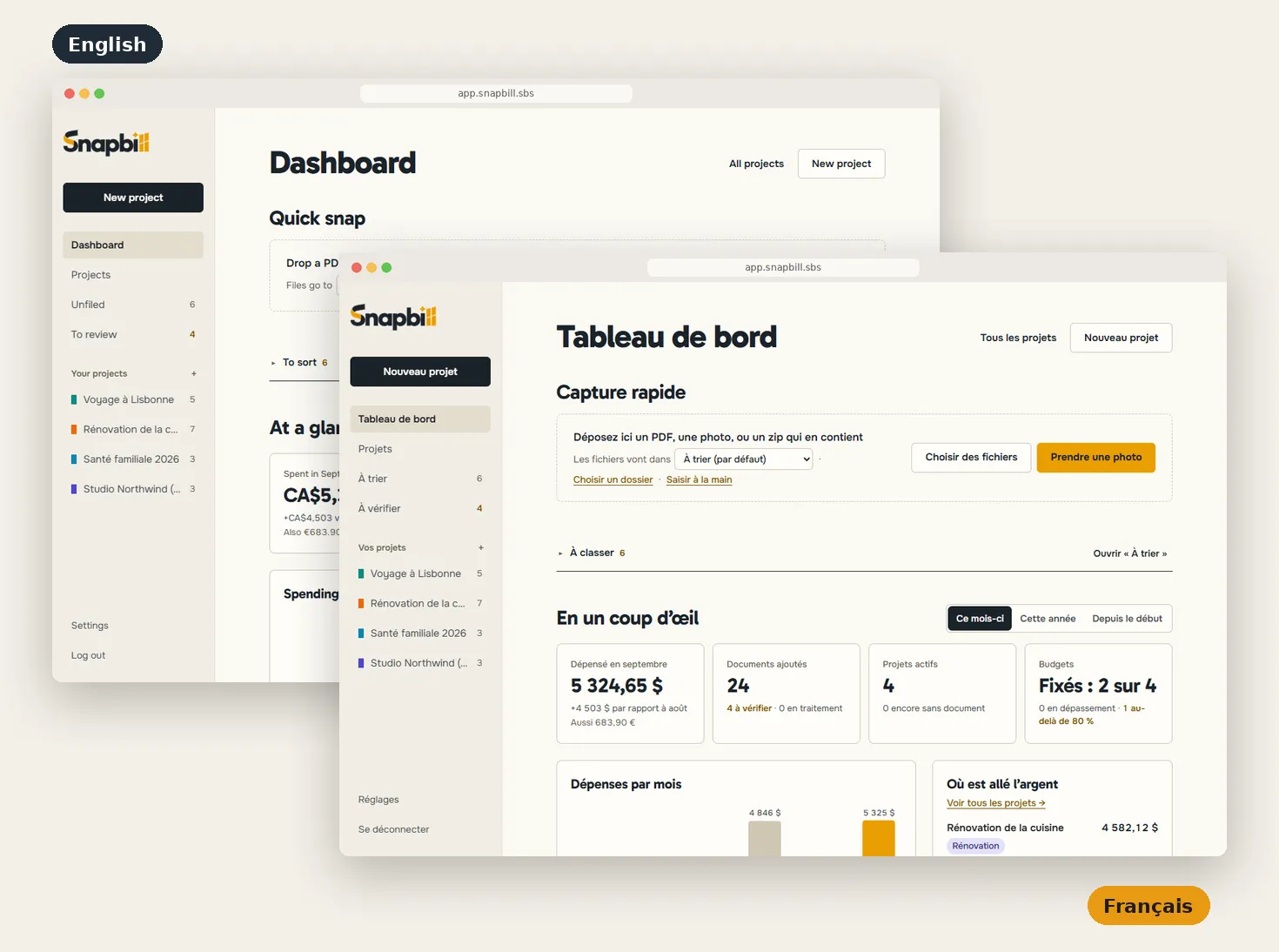
English or French, your choice.
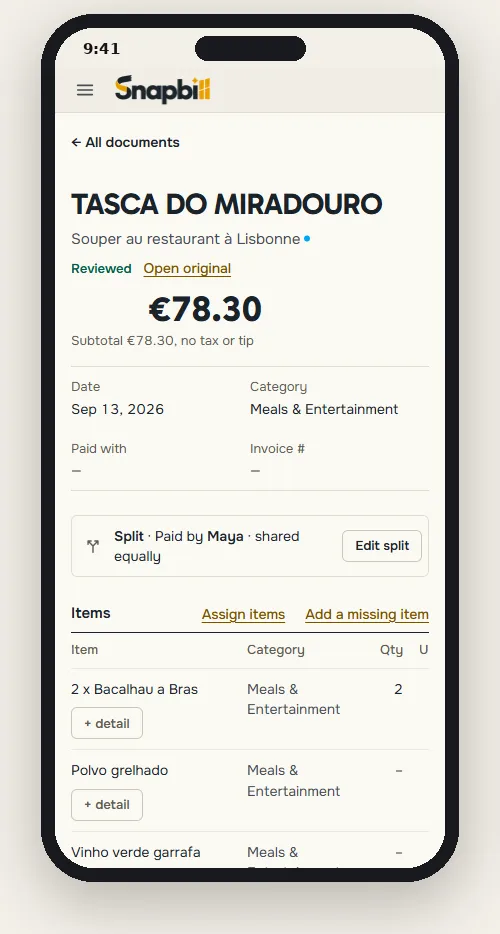
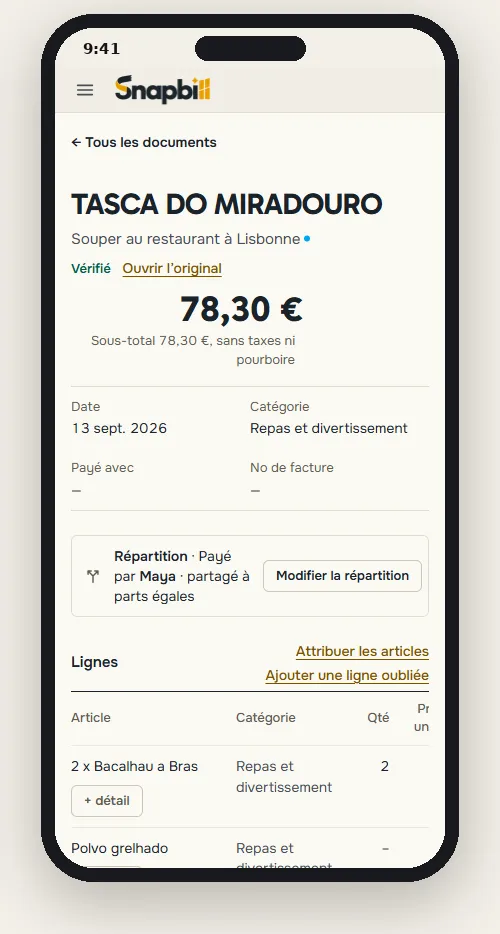
Snapbill speaks both languages across the whole app: menus, dates, amounts and currencies. Switch in Settings, anytime.
- Every screen in English or French: one setting, instant switch.
- Dates, numbers and currencies in your format: 13 sept. 2026 · 78,30 € · 5 324,65 $.
- Emails and notifications arrive in the language you picked.
Stop typing receipts. Start snapping them.
Free for 10 documents a month. No card needed to start.